There are a thousand ways to promote your music. Countless ways to showcase your playlists and promotional information to your listeners, friends, and family. A thousand ways to optimize your communications. Among these, one stands out in particular, in the music world and beyond: Smartlinks. They have quickly become an essential component of any creative campaign, and it’s only natural that Soundiiz has made a customizable Smartlink tool available to creatives. What’s a Smartlink, why does it matter, and how do you create one?

We’ll explain everything!
Key takeaways
- A Smartlink is a single URL that groups multiple music streaming links, allowing users to access a playlist, album, or track on their preferred platform from one page.
- Creating a Smartlink with Soundiiz involves selecting a content type (playlist, album, artist), pasting a source URL, and generating a shareable link that centralizes all platforms.
- Smartlinks improve music promotion by increasing reach across 40+ streaming services, ensuring every listener can access content regardless of their app.
- Customization options like title, image, description, and multiple platform links make each Smartlink a flexible marketing tool for artists, curators, and bloggers.
AI-generated summary
Estimated reading time: 10 minutes
What’s a SmartLink and how to create one? – What is a SmartLink?
You might think we’re making fun of you, but there’s no better answer to the question “What is a SmartLink?” than simply saying it’s a smart…link. What does that mean? Well, a SmartLink is a link that contains multiple other links. It’s an intermediary step between your listener and their favorite streaming platform. Or between you and anyone who wants to have a range of choices all in one place.
You know those “Link in bio” mentions on Instagram, for example? These bio links often point to websites that host multiple links. That’s what a SmartLink is: a way to make multiple pieces of information easily accessible.
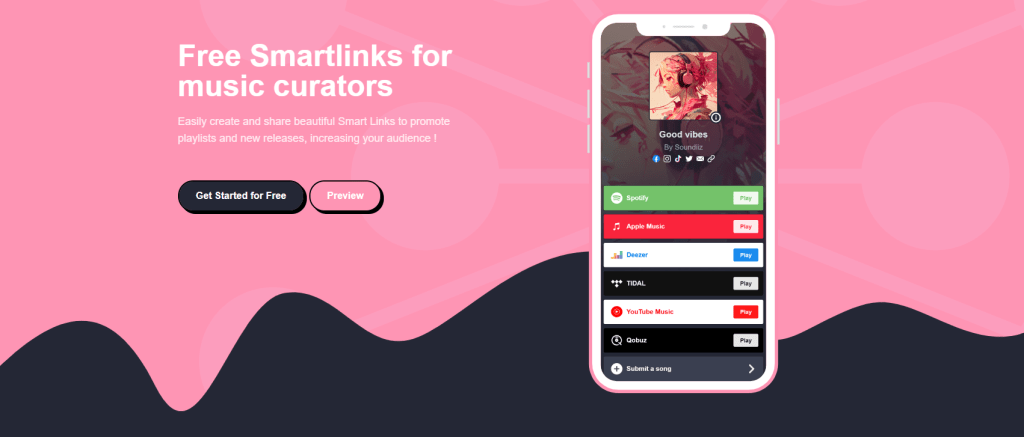
It’s a simple, effective, and user-friendly content aggregator. An opportunity to gather calls to action, promotional materials, and any other information you deem useful for your career, your interests, your followers, or your listeners, all in one place.
Ultimately, it’s a kind of business card. One you’d give to anyone so they can get to know you and have quick and efficient access to your content.
Not wasting anyone’s time.
But what interests us is the music. You’re starting to know us: at Soundiiz, we leave nothing to chance. Nothing at all. And thanks to our 13 years of experience, we know that SmartLinks have become an essential component of any communication and distribution strategy.
They allow artists to avoid the hassle of sending multiple links for each available streaming platform. Instead, they simply send a single link that lets listeners choose their preferred destination.
It might almost seem counterproductive: SmartLinks are an additional intermediary between a listener and their music streaming platform. But it’s actually the opposite: they let you manage traffic effectively, target your audience, and ultimately save time. A lot of time, for everyone.
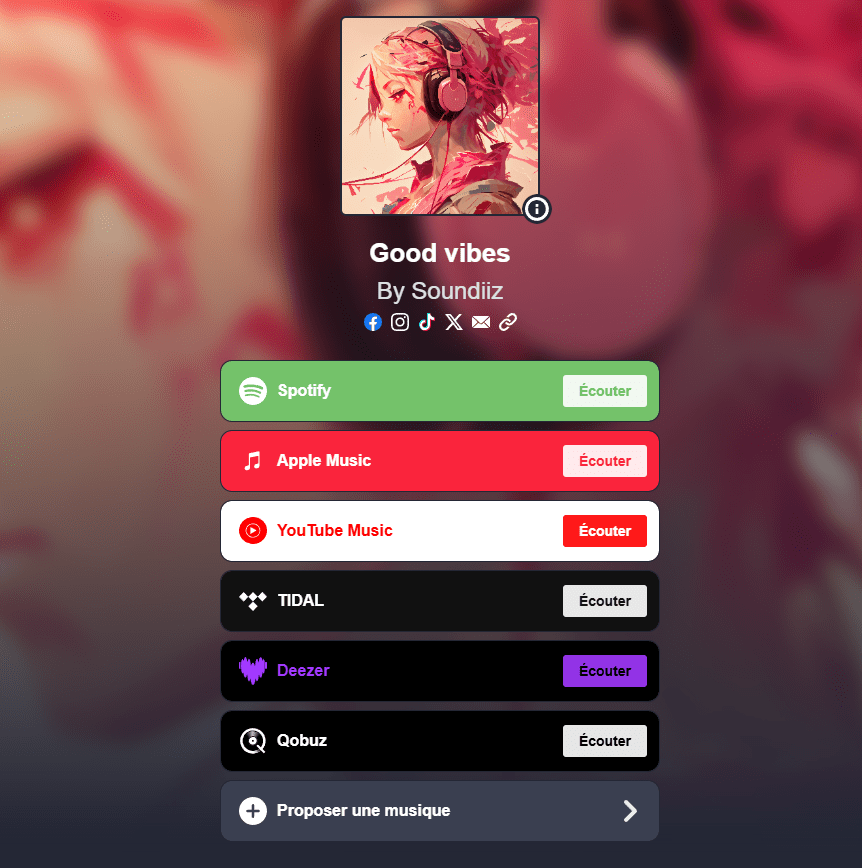
Especially since these SmartLinks are customizable and can therefore visually reflect the messages you want to convey. An all-in-one, optimized landing page that looks not only professional but also personal.
If you’re a playlist curator, SmartLinks are essential. Not having them would, in our opinion, be a disadvantage. It would put you in a position where you’d be unable to connect with all the people who follow you for your musical tastes. With all these factors in mind, we at Soundiiz created our own SmartLink generation tool. And to make it as complete as possible, we’ve added a few extra options that are proving indispensable to music professionals.
What’s a SmartLink and how to create one? – A way to track your audience
SmartLinks are also crucial for understanding who your listeners are. Since we know many artists use Soundiiz to create SmartLinks, we’ve worked hard to provide them with tracking statistics, enabling them to measure campaign success and potentially adapt their campaigns. SmartLinks fall under the umbrella of marketing techniques known as Landing Page Optimization (LPO).
Nothing should be left to chance, and having a landing page that is as effective, readable, and uncluttered as possible can make all the difference. The bonus? This landing page is measurable.
If you’re a creative, knowing, thanks to Soundiiz, who clicks your SmartLinks, calculate your view count, and track other metrics can be essential. In a digital world, where artists are in direct competition and trying to stand out, numbers are—unfortunately, some might say—one of the keys to success. Therefore, you need to analyze them to adapt your decisions.
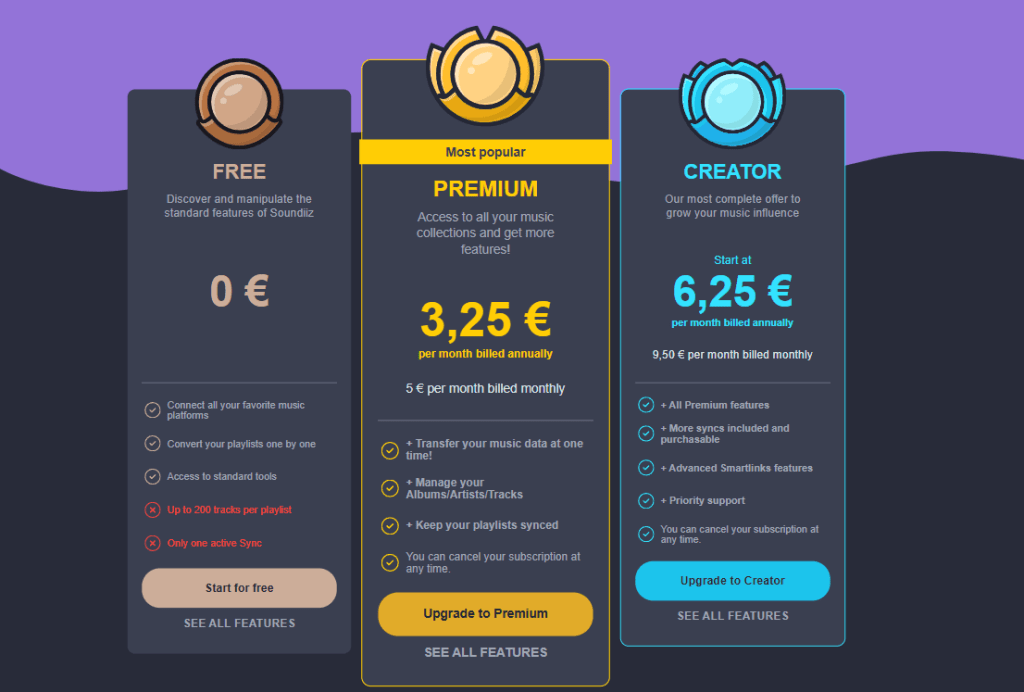
While anyone can create Smartlinks for free with Soundiiz, you’ll need to subscribe to one of our two Premium plans to get accurate statistics on your Smartlinks. We offer two different levels.
Two plans
With the first plan, Premium, you’ll have access to the following options:
- Unlimited logged visits
- Insights calculated over the last 30 days
- Total number of Views for a Smartlink
- Total number of Clicks for a Smartlink
- CTR (click-through rates) for a Smartlink
- Sort your Smartlinks by Views/Clicks/CTR
The second plan, Creator, is even more comprehensive. In addition to all the options mentioned below, you can analyze your data for up to a year. You’ll also have detailed visitor statistics by country and detailed click statistics by streaming platform.
These last two data points are particularly valuable. They will help you understand where your listeners come from and where you are most listened to. They will also show you which streaming service they prefer. If they are mostly Spotify users, then you should probably engage more closely with Spotify or their influencers to increase your chances of getting your music on their playlists.
If they are mainly from the UK, for example, you might want to expand further into that market through concerts, etc. These are just a few examples among dozens of others, provided by your Smartlinks.
Also, remember that Soundiiz subscriptions are commitment-free. It is therefore perfectly possible to view your statistics and then unsubscribe. We don’t necessarily recommend this, as analytical data needs to be observed over long periods to reveal its full potential, but it is an option!
How to create a SmartLink with Soundiiz?
For this procedure, we’ll put you in the shoes of an artist who wants to direct listeners to a landing page where they can access all the streaming platforms where they’ve uploaded their album with a single click.
First, you’ll need to create an account on Soundiiz. Once that’s done, you’ll have access to a dashboard to manage a wide range of tasks.
Next, you’ll need to connect all the streaming platforms where your album has been uploaded by clicking the “Connect Services” button on the left side of your screen.
For legal reasons, you must have your own account on these platforms (however, you don’t need a Premium subscription; a basic subscription will be enough).
In the “Automation” section on the left side of your screen, click on “My Smartlinks.”
So far, so good. Don’t worry, the rest will be just as simple. Once you’re in the “My Smartlinks” section, click the large rectangular button in the top-right corner labeled “Create a Smartlink.”
A new screen will open. Remember: you’re an artist. So you want to create a Smartlink for your album. Click on “Albums.”
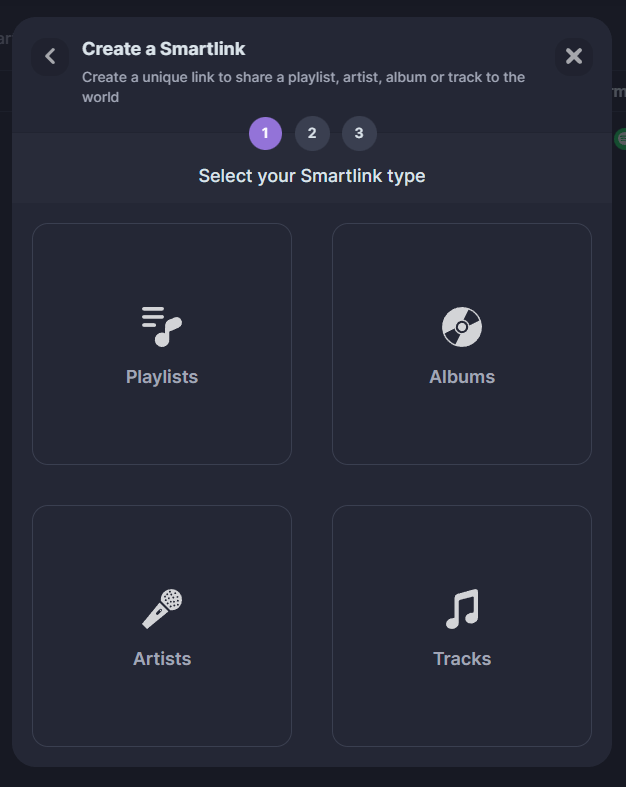
You’ll also see that you can create a Smartlink for a playlist, an artist profile, or even a song. Anything is possible.
Several options are then available. You can either select your album from the list of options that appears (a filter by streaming platform allows you to search more precisely), or enter the URL of the album uploaded to one of the platforms of your choice, and do this for each platform.
Sharing albums
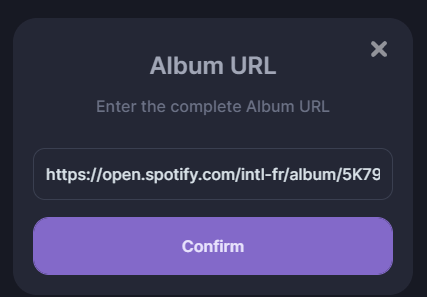
For this example, we’ll use URLs. The URLs for each album are available on each album’s page on the platforms. Here, we’ll copy the Spotify link for Bad Bunny’s latest album.
Then we’ll click on “Album URL,” the first entry on Soundiiz. Finally, click on “Confirm.” Repeat this process as many times as necessary. Copy, for example, the Deezer link, paste it into Soundiiz, copy the album link from Amazon Music, and so on.
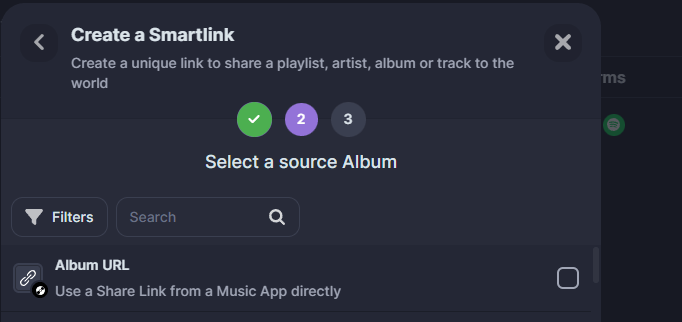
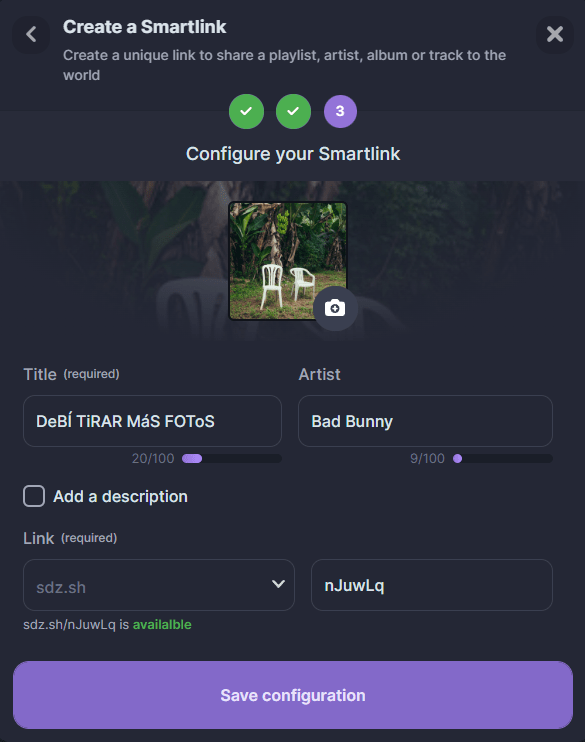
Once you’ve finished, click “Confirm”. Soundiiz will then allow you to customize your landing page by adding an image, a title, and other parameters.
Once you’ve entered everything, click “Save configuration.” Your Smartlink is now officially created!
It appears on your Soundiiz dashboard in the “My Smartlinks” section. Here, you can edit it as you wish, delete it to create a new one, and, if you’ve chosen one of our two Premium plans, track its statistics in the “Analytics” tab.
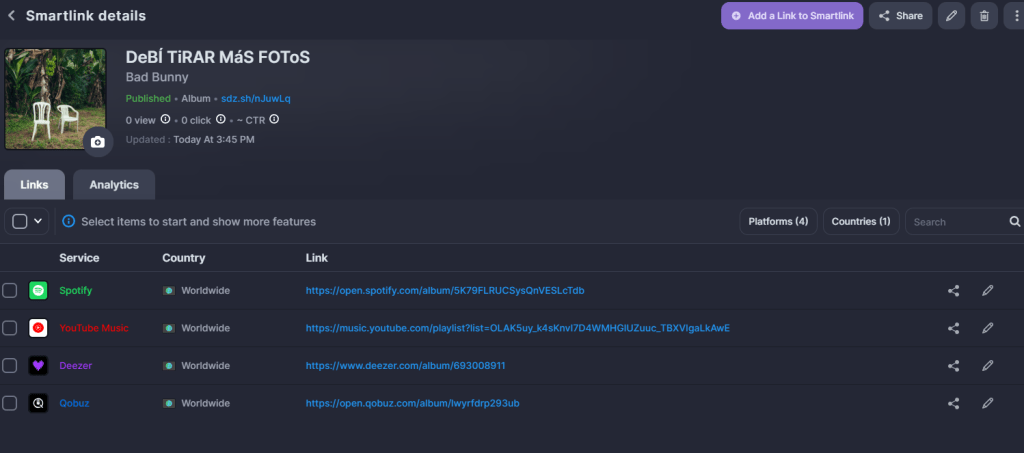
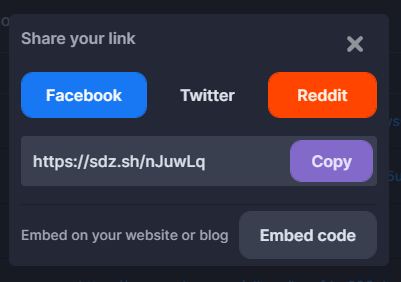
But even more importantly, you can share it. Click the “Share” button in the upper right corner and copy the link that appears.

If you want to check what your Smartlink looks like before copying it anywhere, copy the address generated by Soundiiz into your browser, and you’ll have everything right there!
Pretty simple, isn’t it?
Bonus: You can also use our Synchronization tool so that any changes to your album or playlists are reflected across all the other platforms included in your Smartlink. Everything will be automatic. Your Smartlink will remain “alive” and up to date without you having to make any manual changes.
Don’t wait anymore and start using Soundiiz to create beautiful and trackable Smartlinks!