Is Apple Music still worth it in 2026? Yes, Apple Music remains one of the most complete music streaming services in 2026 for listeners who value audio quality, artist remuneration, a seamless experience across Apple devices, and a strong user experience. However, its main drawbacks include the lack of podcasts and audiobooks, a less extensive social experience than some of its competitors, and recommendations that may not suit every listener. Apple Music review in 2026: Is it worth it? What do we think of this music streaming service, and do you really need it?

In this review, we evaluate Apple Music’s pricing, audio quality, music discovery, recommendation algorithms, user experience, catalog, and artist royalties to help you decide whether it is the right music streaming service for you.
Estimated reading time: 13 minutes
How we conducted our Apple Music review in 2026
We evaluated Apple Music across several criteria: price, artist remuneration, podcasts and audiobooks, algorithm, user experience, catalog, and audio quality.
Last tested: November 2026
Platforms: Web / iOS / Android / Desktop
Pros and Cons
| Pros | Cons |
| Lossless and Hi-Res audio at no extra cost | Audiobook availability in the music app |
| User experience | Podcasts’ availability in the music app |
| Artist remuneration | Music discovery |
| Features (Automix, Apple Sing,…) | Personalized recommendations |
| Excellent integration with Apple devices | Some features are less seamless outside Apple’s ecosystem |
| Clean interface | No Duo subscription plan |
| Personalized radio stations | Limited extensive social features |
| Human curation mixed with algorithm-made playlists |
How much does Apple Music cost in 2026?
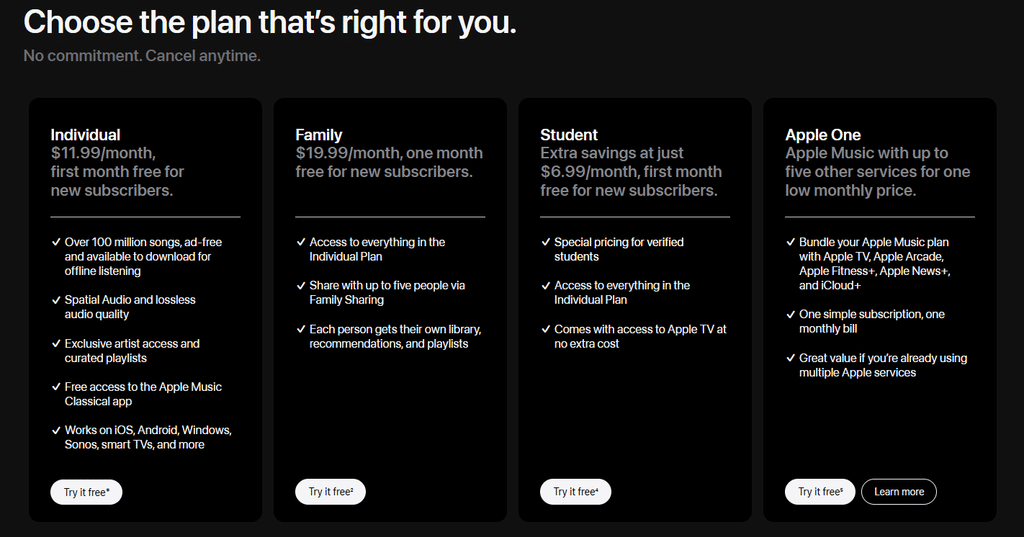
Apple Music does not offer a permanent free, ad-supported plan. New subscribers can usually get a free trial, while students, individual users, and families can choose from different paid subscription plans.
In November 2026, the costs for an Apple Music subscription in the United States are:
- $11.99 per month for an individual subscription
- $19.99 per month for a family subscription
- $6.99 per month for a student subscription
Prices may vary depending on where you live and when you read this review. Please check Apple Music’s website to confirm the figures.
Advantages of Apple Music regarding subscriptions
Apple Music’s pricing structure is straightforward, offering only three types of plans:
- Individual
- Family
- Student
Currently, Apple’s prices U.S. are slightly lower than Spotify’s in the U.S, in November 2026. The individual plan costs $1 less, and the Family plan costs $2 less than Spotify’s equivalent.
Each of Apple Music’s three plans includes a one-month free trial for new users. This lets you test the service at no cost so you can decide at your own pace.
Disadvantages of Apple Music regarding subscriptions
Unlike its main competitor, Spotify, which offers a “Duo” plan, Apple Music doesn’t offer a similar option.
This could be a drawback for those considering a switch. For instance, a couple wanting to share an account would have to sign up for a Family plan or buy two separate individual subscriptions. As a result, Apple Music’s pricing may be less attractive.

Apple Music is also more expensive than YouTube Music—which costs $1 less per month for an individual plan and $2 less per month for a Family plan—and YouTube Music even offers a “Duo” option.
How Much Does Apple Music Pay Artists Per Stream?
Apple Music does not have a fixed per-stream payment rate. However, according to several specialized sites—such as Ditto Music, Playlist Supply, Streaming Calculator, and Hype Edit —the payout is about $0.01 per stream. This is the figure highlighted by each of these sites and the sources mentioned above. In 2021, Apple disclosed that its average per-play rate for individual paid plans was $0.01 in 2020. But we must add that this figure includes payments to labels and publishers, not just artists. Actual royalties vary depending on the listener’s country, subscription type, rights agreements, and overall streaming share.
For comparison, a few weeks ago, in our review of Spotify, we noted that the Swedish platform’s per-stream rate was approximately $0.003–$0.004. Apple Music therefore appears to pay significantly more than its competitor, Spotify, ranking among the services that offer artists the best compensation.

Qobuz holds the top spot, followed by TIDAL. According to the media outlet Ones To Watch, Apple Music ranks third.
A word of caution, however: apart from Qobuz, no platform discloses this remuneration data transparently. The figures vary by source, so take them with a grain of salt.
What determines Apple Music royalties?
- listener’s country
- subscription type
- total number of streams
- rights ownership
- agreements between artists, labels and distributors
What is the size of Apple’s Music catalog?
How big is the Apple Music catalog? Around 100 million songs—complemented by music videos and radio stations that broadcast 24 hours a day. 100 million tracks is more than enough for most users. But that’s not the most important part: today, many users care about more than just the music. In this regard, Apple Music has taken a distinctive approach.
Does Apple Music have podcasts and audiobooks?
Apple Music doesn’t offer podcasts or audiobooks in its app: you’ll need to download another app to enjoy them. The service focuses on music—and almost nothing else. This is where the “Music” in “Apple Music” truly makes sense. While platforms like Spotify or Deezer integrate everything into a single app, Apple Music separates its content into distinct apps.
Want to listen to podcasts? Download Apple Podcasts! Want to listen to audiobooks? Download Apple Books. And if you want to listen to music, stick with Apple Music.

In an increasingly competitive streaming landscape, where every platform is looking for ways to stand out, Apple Music’s strategy might come as a surprise. Yet, many users actually appreciate this separation. Those who listen exclusively to music value the fact that their app isn’t cluttered with content they don’t consume.
Another interesting move: Apple has launched an app dedicated to classical music—Apple Music Classical. It caters to listeners for whom classical music was sometimes hard to find on mainstream streaming platforms.
Is Apple Music’s user experience efficient?
The advantages of the Apple Music user experience
Apple Music has built its user experience on simplicity and efficiency. In keeping with Apple’s design language, everything feels exactly where it should be, making navigation logical and intuitive. If you own other Apple devices—for example, an iPhone—everything integrates seamlessly and flows smoothly.
Several features enhance your listening experience, such as “AutoMix,” which analyzes songs and creates smooth transitions between them, making it feel like a DJ is mixing your tracks. Other features include “Apple Music Sing” (a karaoke mode), collaborative playlists, and the ability to view—and even translate—lyrics in real time. These additions enrich the experience for every user.
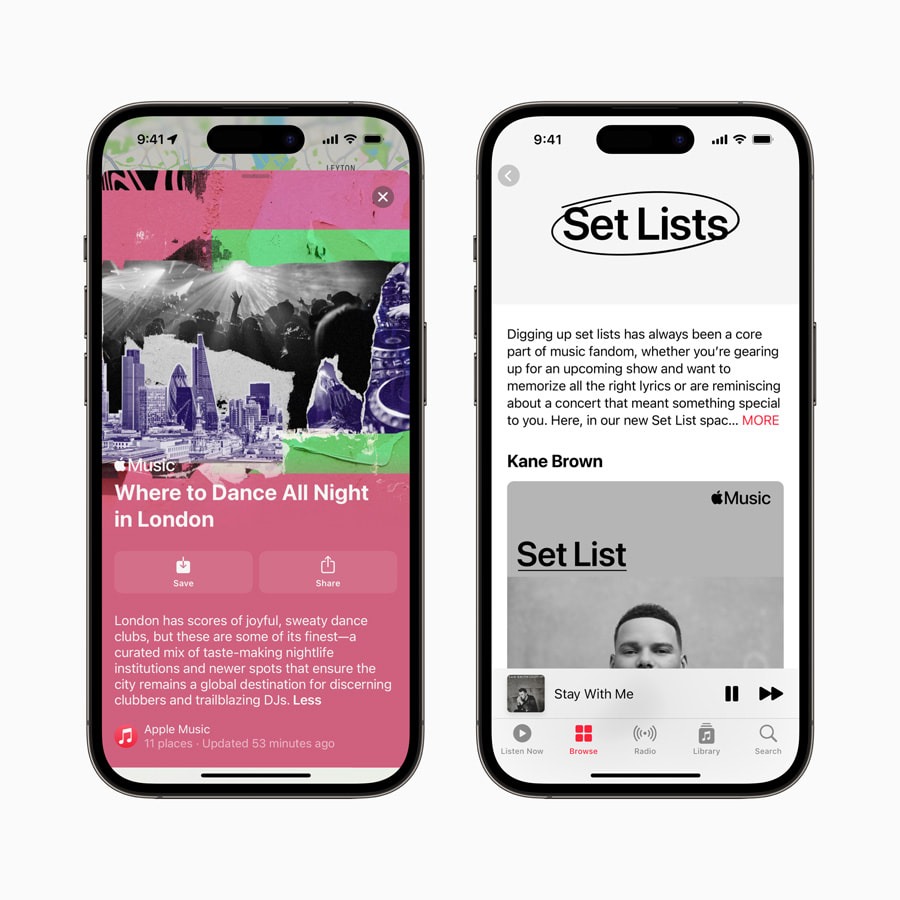
Furthermore, unlike some of its competitors, Apple Music has chosen not to clutter its app with extensive social features. Apple Music keeps the focus on the music—playlists, artists, and radio stations—without anything else to distract from the listening experience. This approach is interesting at a time when many other streaming platforms are evolving into social hubs that cater to a wide range of user habits.
The drawbacks of the Apple Music user experience
The experience is slightly different on platforms like Android. Some users have reported fluidity issues, occasional bugs, and incomplete optimization.
Nothing too serious, however: the app works well on both Android and Windows. That said, if you are already in the Apple ecosystem, you will benefit from better synchronization and more optimized features.
What about Apple Music’s interface?
The advantages of the Apple Music interface
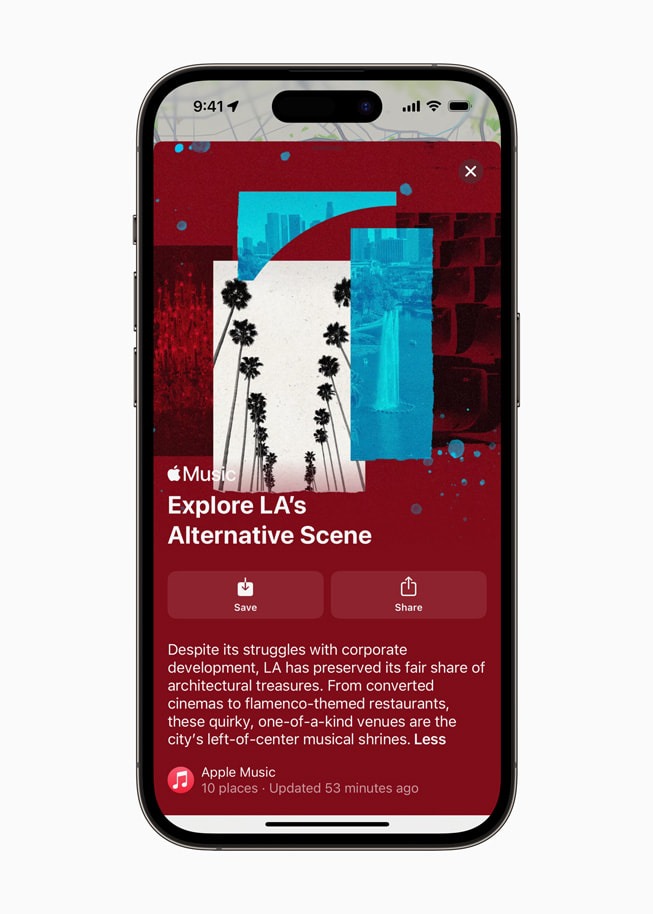
Apple Music is aesthetically pleasing, that’s for sure. The color palette is understated, albums are showcased effectively with high-definition cover art, and the animated backgrounds that appear while songs play are well designed.
The drawbacks of the Apple Music interface
On desktop, the interface is less fluid and less visually appealing, which can make the browsing experience feel a bit clunky. Additionally, some options—such as audio quality settings—can be tricky to locate. However, these aren’t major deal-breakers; it’s just a matter of getting used to it!
Is Apple Music Good for Music Discovery?
The Advantages of Apple Music’s algorithm
Apple Music’s recommendation algorithm combines personalized suggestions with human-curated playlists and radio stations. While some competitors have moved away from the human element in their recommendations, Apple Music still enlists experts—industry figures, radio hosts, and others—to curate content.
This hybrid approach is one of Apple Music’s strengths: algorithms help tailor suggestions to individual listeners, while editorial playlists introduce music through genre expertise, cultural context, and human selection.

At Soundiiz, we particularly appreciate this approach. In a world dominated by algorithms, knowing that real people curate Apple Music’s playlists is both refreshing and a touch “vintage.”
On Apple Music, you will find “Mixes” updated regularly based on your listening history, plus radio stations available 24/7.
The Drawbacks of Apple Music’s Algorithm
Apple Music’s algorithm needs time to fine-tune. It becomes increasingly effective—offering more and more relevant songs and albums—after a few weeks or even months of use. The more data it gathers, the more precise it becomes. Choosing Apple Music, therefore, means committing long-term to its algorithm and recommendations.

In fact, Apple Music users often point out that recommendations sometimes don’t venture far enough beyond established listening habits, or they can feel disconnected from reality.
Is Apple Music’s Audio Quality Worth It?
Apple Music offers Lossless audio across most of its catalog at no extra cost. To enable the Lossless option on your Apple Music account, here is what you need to do:
- Go to Settings.
- Tap Apps.
- Tap Music.
- Tap Audio Quality.
- Tap Lossless Audio to turn it on or off.
The advantages of Apple Music’s audio quality
Apple Music also offers Dolby Atmos, which lets you listen to certain songs and albums as if you were surrounded by three-dimensional audio. This cutting-edge technology—not yet available on all streaming platforms—makes for an attractive feature for audiophiles.
These high-definition (HD) listening features position Apple Music among the best audio-quality platforms on the market, alongside services like TIDAL and Qobuz. While TIDAL and Qobuz remain the gold standard for audiophiles, Apple Music can still satisfy this demanding segment of listeners.
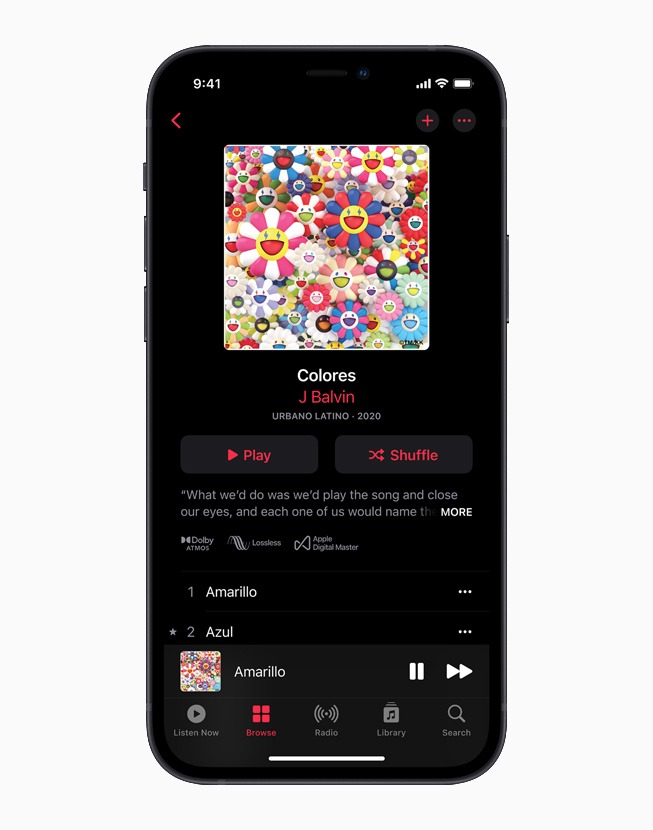
If you want audio quality that approaches studio-grade sound, plus Dolby Atmos, Apple Music is a great choice!
The drawbacks of Apple Music’s audio quality
Apple Music’s “Lossless” option will be of little use if you aren’t listening through quality headphones or speakers. An optimal audio source will be largely ineffective—or nearly so—when played through average-quality equipment. To truly enjoy Apple Music’s sonic richness, you may need to invest!
The specialized website Hifi Walker notes that to get the most out of 24-bit/192 kHz quality, you will need an external DAC (Digital-to-Analog Converter) paired with wired headphones.
Is Apple Music still worth it in 2026?
In 2026, Apple Music is a worthwhile choice if you are looking for a platform that focuses exclusively on music—offering some of the best audio quality on the market, fun features, and an intuitive, well-designed interface—and if you care about ensuring that your subscription fee is distributed as fairly as possible to the artists you listen to.

On the other hand, you might want to consider a different service if you are a heavy consumer of podcasts and audiobooks, not already in the Apple ecosystem, or rely heavily on curated playlists and platform-generated recommendations to shape your listening habits.
Regardless of your choice, Apple Music is one of the most well-rounded music streaming platforms available, with pricing that aligns well with its features.
Who Should Choose Apple Music?
Apple Music is best for:
- People who are already using Apple devices
- Audiophiles who want lossless and Hi-Res audio.
- People who are looking for a clean and efficient interface
- Listeners who want to support a platform with transparent royalty policies and who value artists’ remuneration
- Users who want human and editorial recommendations
- Classical music lovers
Who might prefer another service?
Apple Music may not be the best choice for:
- Heavy podcast and audiobook listeners.
- People who rely on highly personalized algorithmic recommendations.
- Users who want a free music streaming service.
- Couples looking for a dedicated Duo subscription.
How to Transfer Your Playlists to Apple Music
Soundiiz allows you to transfer your data and playlists from any platform to Apple Music. It couldn’t be simpler:
- Connect both the platform you currently use and the one you want to migrate your data to within Soundiiz.
- On your dashboard, click “Transfer” and select your source and destination platforms.
- Choose the items you want to transfer.
- Start the transfer.
- Check its progress in the “Batch” section on the left side of your dashboard.
- Fix any errors by following the tutorial at the beginning of this article.
- Enjoy all your music on your new streaming platform!
How can you make the most of Apple Music with Soundiiz?
Transferring playlists isn’t the only thing Soundiiz can do! Our tool functions as a comprehensive dashboard, allowing you to manage your entire Apple Music account.
You can download your playlists in .txt or .csv format for safekeeping, create SmartLinks for your playlists, export your data, and sort, organize, or edit everything just the way you like. Soundiiz was designed to be the perfect companion for your music-listening experience—our tools make everything easier and ensure you can modify virtually anything.
To try all our services, head over here.