We proudly announce the ability to move your existing playlists from other music services to Amazon Music!

Amazon Music lets customers use their voices to explore millions of songs and thousands of curated playlists and stations.
Prime members can listen to 2 million songs without ads at no extra membership cost.
Amazon Music Unlimited offers over 90 million songs, including the latest releases.
In addition, customers can use a free, ad-supported selection of top playlists and stations.

How to import a playlist into Amazon Music?
First, create a Soundiiz account and select Amazon Music in the left panel. Then, approve the request so Soundiiz can access your Amazon Music account. Amazon manages this authorization flow. Soundiiz never receives your Amazon credentials.
Once you link your Amazon Music account, you can transfer your playlists.
Open the Transfer tool in the left panel. Next, choose the source music service that contains your playlists. Select the playlists you want to move. Finally, choose Amazon Music as the destination.
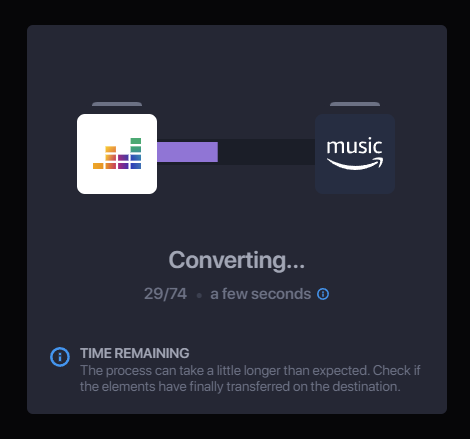
That is all! Soundiiz starts the import automatically. When it finishes, you receive a report listing any unmatched elements. If you are just getting started, see how to subscribe to Amazon Music Unlimited and import your data.
If you move several playlists, Soundiiz creates a batch and emails you when it finishes. Therefore, you do not need to keep your browser or device open during the transfer.
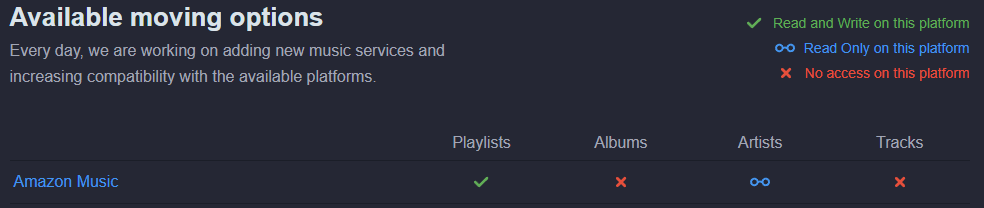
Why can’t I import my “favorites” to Amazon Music?
Soundiiz can transfer favorite tracks, artists, or albums between many music services. However, this feature is currently unavailable for Amazon Music. At this stage, Soundiiz can import only playlists into an Amazon Music account.