Key takeaways
- Transferring playlists and data from Spotify to Deezer with Soundiiz starts by creating a Deezer account, then connecting both streaming platforms inside the Soundiiz Transfer tool.
- To move your Spotify playlists to Deezer, select Spotify as the source, Deezer as the destination, choose the playlists or items to transfer, and launch the process from your Soundiiz dashboard.
- Soundiiz’s free version lets users transfer up to 200 songs per playlist, one playlist at a time, while Premium removes these limits for unlimited Spotify to Deezer transfers.
- Beyond playlist transfer, Soundiiz also offers Sync to keep playlists updated across platforms and AI-powered tools to generate songs and playlists based on custom criteria.
AI-generated summary
We are constantly on the move. In our personal lives, our activities, what we consume, and what we listen to. Music streaming platforms are no exception, and with an ever-growing selection, it can be difficult to navigate and make a choice. Which service would best suit my needs? How can I know if my chosen platform is the right long-term solution? And above all, if I’m not satisfied with my choice, how can I keep all the accumulated data while moving to another location? Behind these questions, two names often come up: Spotify and Deezer. Reputable, comprehensive, and balanced, they provide everything a music lover could hope for. But depending on their actual needs, some might not be entirely at peace with their decision. That’s why we’ll explain how to transfer playlists and data from Spotify to Deezer.
So that nothing stands in your way!
Why would you want to transfer playlists and data from Spotify to Deezer?
Spotify has set the bar incredibly high for years, forcing its competitors to play catch-up. They’ve tried to differentiate themselves at times, adopting different approaches, but have never reached the level of popularity of the Swedish brand. It can sound surprising, considering Spotify isn’t a pioneer in music streaming. But they established their model quickly and made shrewd strategic investments to gain a competitive advantage that is now difficult to overcome.

Because Spotify understood one thing: for widespread adoption, its tool must be comprehensive and accessible to the greatest number of people. And by comprehensive, we mean, of course, the breadth of its music catalog. It’s virtually impossible not to find what you’re looking for on Spotify. But the company goes further. They understood very early on that music alone wasn’t enough. And they anticipated the rise in popularity of podcasts and audiobooks before their competitors. By integrating these into their catalog rather than through third-party apps like some of their rivals, Spotify ensures its customers remain in their familiar environment. And that they never move. Or rarely.
It’s a fact: Spotify is still the most comprehensive streaming platform in the world. Or at least, the one that brings together the largest audience. The numbers prove it: in recent days, media outlets have shown that Spotify’s price increases and the numerous controversies that have tarnished its reputation have had a limited impact on its subscriber numbers. Quite the opposite, in fact.

While it’s undeniable that many people have left the service, even more have signed up for Spotify. The result? A consolidated leadership position and an ever-growing user base.
But still…
But that doesn’t mean many people aren’t leaving Spotify daily. We won’t revisit the numerous political and AI-related controversies that have dominated the news and which we’ve discussed in our blog posts.
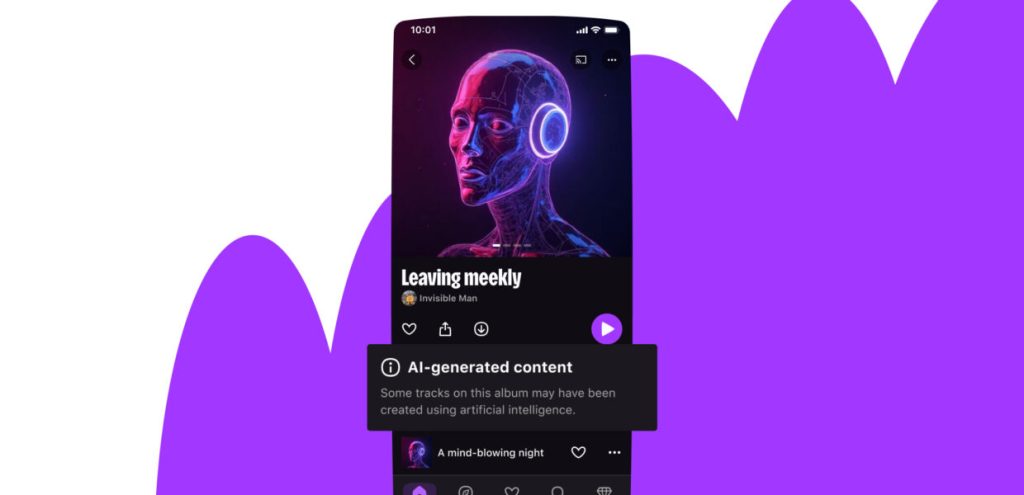
Simply put, many influencers and former Spotify users have spoken out about why Spotify was no longer an option and have transferred their data and playlists to another platform. One of the preferred destinations is Deezer, a platform well-known in France and constantly growing internationally. The reason? Well-designed user interface, algorithmic playlists that cater to discovery needs, a massive catalog, and efforts undertaken to combat the proliferation of AI. And the protection of artists’ rights, as well as the promise of better royalties.
It’s difficult to claim that Deezer is a 100% better platform than Spotify: the Swedish service still has considerable advantages over its competitors, particularly in playlists and its algorithm.
But there’s no doubt that platforms like Deezer have plenty to be proud of in many respects. So it’s understandable that some people wonder how to transfer playlists and data from Spotify to Deezer.
And here’s how to do it, step by step!
How to transfer playlists and data from Spotify to Deezer? It’s a straightforward, step-by-step procedure that you can easily follow.
This may seem obvious, but you must create a Deezer account before you do anything else. It will provide you with a solid foundation to work on.
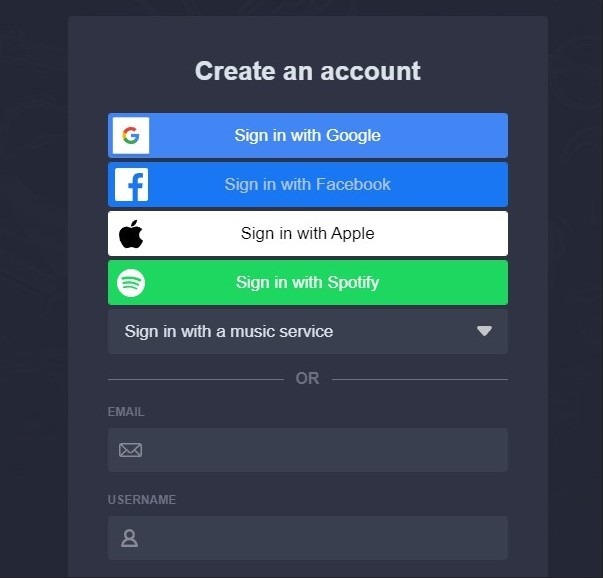
Then, if you haven’t already, create an account on Soundiiz or log in.
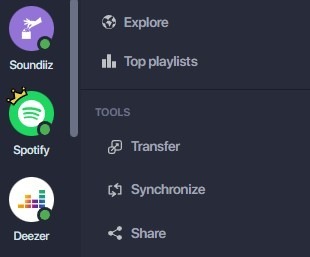
Once this has been done, you can access your Soundiiz Home Page. On the left-hand side of your screen, in the “Tools” section, you’ll see the “Transfer” section. Click on it.
This page will appear as follows:
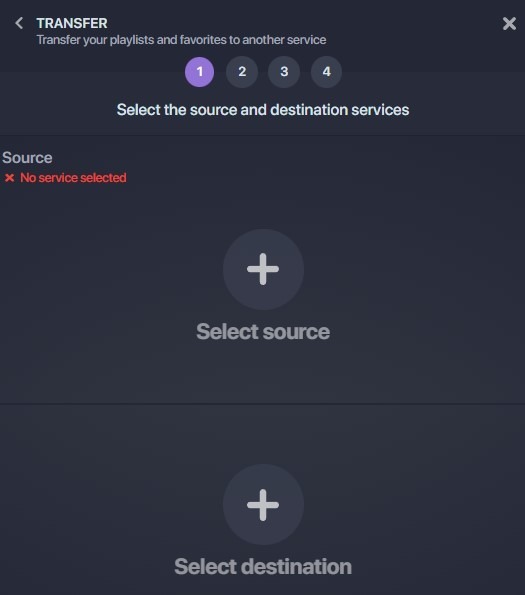
This is where you’ll need to link your source account (Spotify) and your destination account (Deezer). To do this, click “Select Source” and look for the Spotify icon. Then click “Select Destination” and look for the Deezer icon.
You’ll see a green “Connected” button in both sections if everything is working correctly. Click on the “Start” button.
Please note: this will only work if you already have a Deezer account. If not, there will be no green button.
Soundiiz will search to see which items are transferable to your destination platform. Select the items you want to transfer, then click “Confirm My Selection” and “Begin the transfer.”
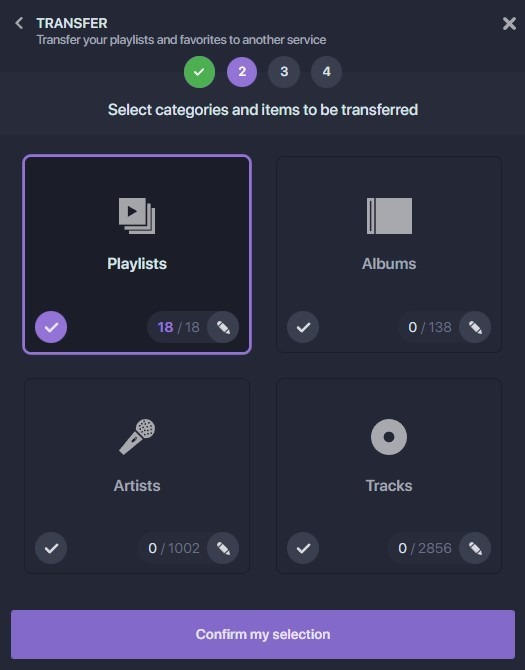
Note: if you use Soundiiz’s free version, you can transfer up to 200 songs per playlist, one playlist at a time. Click here to check our Premium plans!
The transfer has just started! Depending on the amount of data transferred, it may take a few minutes to complete. You can check the transfer progress in the “Automation” – “My Batches” section.
Once the transfer is finished, you can rest assured that everything has been successfully moved. If you check your mailbox, you should find an email indicating that your transfer is complete, giving you peace of mind!
Is transferring playlists and data from Spotify to Deezer free of charge?
Short answer: yes! Absolutely. With our free version, you can transfer up to two hundred songs from one platform to another, without spending a penny. And you can do this as many times as you want. 200 is a significant number, and many people don’t have that many tracks in their playlists. It was important to us, in a world where we’re always spending money on everything, that you could use Soundiiz for free.

Not-so-short answer: not 100%…if you have more songs to transfer! Starting at less than $4, we remove these limitations and allow you to transfer an unlimited number of songs from Spotify to Deezer. No cap, nothing. Just data flowing from one account to the other! This plan, with its details available here, is a godsend for those with massive playlists who want a tool that meets these requirements.
Also, note that our subscriptions are commitment-free. So, if you wish, you can make a one-time transfer and then choose to unsubscribe if you no longer need Soundiiz’s services.
But something tells us you might regret your choice. And here’s why!
What else can you do with Soundiiz?
The Transfer function we just described is what built our reputation. It quickly established itself as a benchmark for quality, accuracy, and comprehensiveness. It’s also what allowed Soundiiz to become a leader in the streaming world, and a tool that simplifies the daily use of streaming platforms. And it’s precisely by recognizing this that Soundiiz decided to go even further.

How can we ensure we meet most of the needs of music streaming users? What features should we develop to help them truly benefit from this music streaming revolution? And, above all, how can we respond to constantly evolving needs?
Music lovers like having choices, but not too many. And when we say “not too many,” we mean playlists. Every streaming platform now has its own playlists, generated by algorithms developed and maintained internally, and/or by people associated with the platform who curate them manually. But how can you enjoy these playlists if you’re not subscribed to the platform? How can you overcome this frustration?

That’s why we created our Sync feature, which you’ll find all the details of right here. It will allow you to never miss an update and enjoy the best of each platform, all without leaving your own!
Our own AI!
Recently, faced with the challenges of Artificial Intelligence, we realized that more and more users wanted access to precise, targeted content tailored to their tastes, to discover new artists. So we decided to develop our own tool for generating songs and playlists.

Ours stands out from those you might use on your usual platforms. Why? Because it works with criteria you enter yourself (a decade, a specific genre, a mood, etc.), and is not based on your listening history and musical habits. Soundiiz doesn’t have access to this information. Still, we can use even more precise criteria to give you unlimited data access, which can then be added to your listening catalogs!
And it’s not just about synchronization and Artificial Intelligence, far from it!
We invite you to visit our website, browse our Instagram account, X, or our blog to discover all the ways Soundiiz has implemented to meet your needs!