We’re all the same: we want to enjoy the best of everything. And in the music streaming industry, you know, there are A LOT of worlds. By world, we mean streaming services. Each has its own features, advantages, and, above all, playlists. Playlists you might want to listen to even if you’re not subscribed. How do you do that? Can you listen to Deezer playlists if you’re on Spotify, Apple Music, TIDAL, YouTube Music, or Qobuz? How to import playlists from other streaming platforms to Deezer?

Don’t worry: we’ve got you covered!
Why would you want to import playlists from other streaming platforms to Deezer?
In recent years, Deezer’s rise to prominence has been undeniable. Originally based in France, the company has grown continuously and established itself internationally. By investing in its algorithm and the user-friendliness of its services, Deezer is often described as a platform that offers everything a music lover could want. With virtually no flaws, a robust algorithm, HD audio quality, fun features, and an efficient user interface, Deezer doesn’t disappoint.

Could it become a serious competitor to Apple Music, Spotify, and others? It’s still too early to say, but after France, Europe, and the United States are eagerly awaiting the service with the purple logo.
Especially since, for the past two years, Deezer has distinguished itself through its initiatives to protect artists’ rights. First, by forming partnerships with the world’s leading record labels to shift towards an artist-centric approach, where the money generated by your streams goes directly to the artists you listen to. Rather than into a large pie whose slices are distributed proportionally to the total number of streams.
But also by implementing pioneering AI-powered song-detection tools. Is Deezer an ethical platform? It’s hard to say, but the fact remains that the last few months have been positive for Deezer in terms of both usage and reputation.
Curation
And if there’s one thing the Deezer teams are focusing on, it’s playlists. With a mix of algorithmic playlists based on your tastes and mixes chosen by genre specialists, they represent the perfect balance between digital and human connection. These playlists, whose songs are hand-picked based on the latest releases and trends, are renowned for their relevance and quality. And above all, they provide an excellent summary of current events.

But for some of you, all that isn’t enough. And we understand: when it comes to playlists, it’s hard to get enough! That’s why, while using Deezer, you might also want to enjoy playlists available on Spotify, TIDAL, Qobuz, YouTube Music, or elsewhere. See where we’re going with this? We’ll explain how to do it right below!
Import playlists from other streaming platforms to Deezer for free: is it possible?
The price argument. Important and unavoidable. For us, as for you. From the very beginning, our ambition has been to help you make the most of your streaming platforms. Whether it’s managing your library, transferring your data, or taking advantage of the many other options Soundiiz offers, it’s essential that everything is accessible to as many people as possible.
With this in mind, we’ve implemented several subscription options, including a free version. With this free version, you can manage up to 200 titles per playlist at no cost. Not bad, right? 200 is enough for most people. Especially since you can do a 200-song transfer as many times as you want. Some of our competitors allow you to transfer 500 songs in total, then charge for any additional transfers.
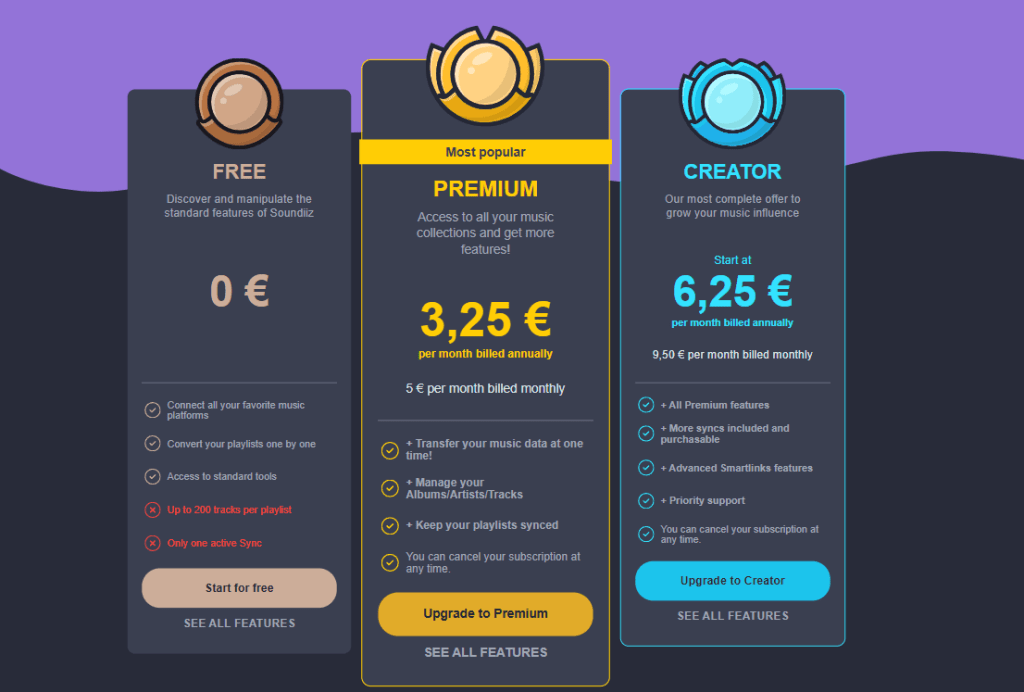
But for those who want more, two subscriptions, Premium and Creator, both without a subscription fee, will allow you to manage an unlimited amount of data and enjoy the full range of Soundiiz features.
Remember that, since our services are commitment-free, you can subscribe to an offer, use Soundiiz once, and unsubscribe immediately.
How to import playlists from other streaming platforms to Deezer, step-by-step
The first step, as you might expect, is to create a Soundiiz account and have a Deezer account.
Once you’ve created your Deezer account, the next step is to connect it to your Soundiiz account. This simple process ensures seamless playlist importation.
To do this, click on the “Connect Services” button on the left side of your screen.

Then, select the platform you want to connect to, click its icon, and follow the instructions.
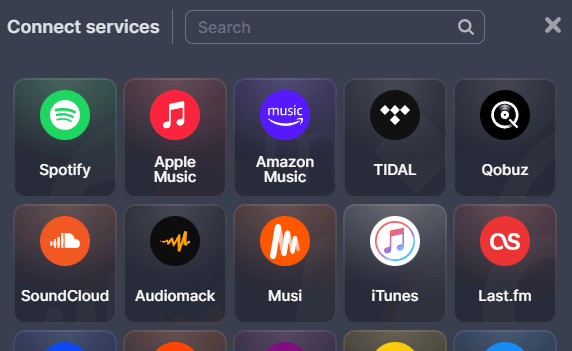
You are now ready to begin the import process.
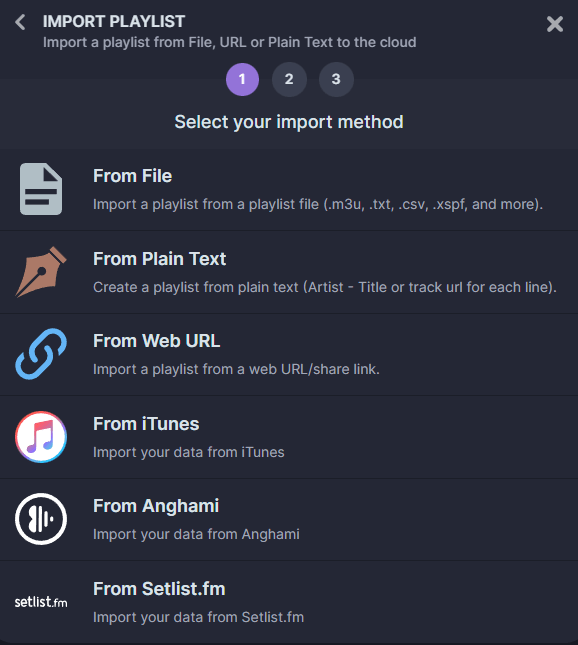
On the homepage, in the top-right corner, click the “Import Playlists” button.

Then, choose the file you want to import from the available options.
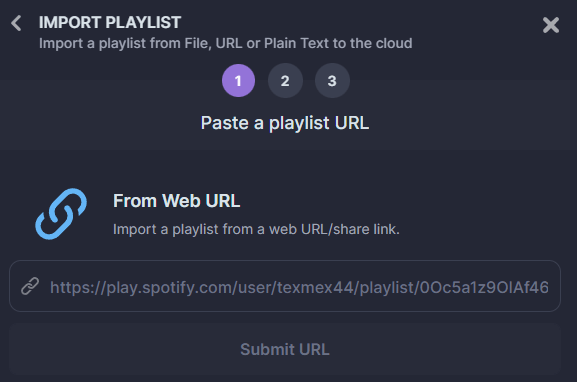
Here, we’ve chosen to show you how to import a playlist from a URL (“From Web URL”). Click on this section.
Once the link is copied, paste it into the rectangular box provided and click “Submit URL.”
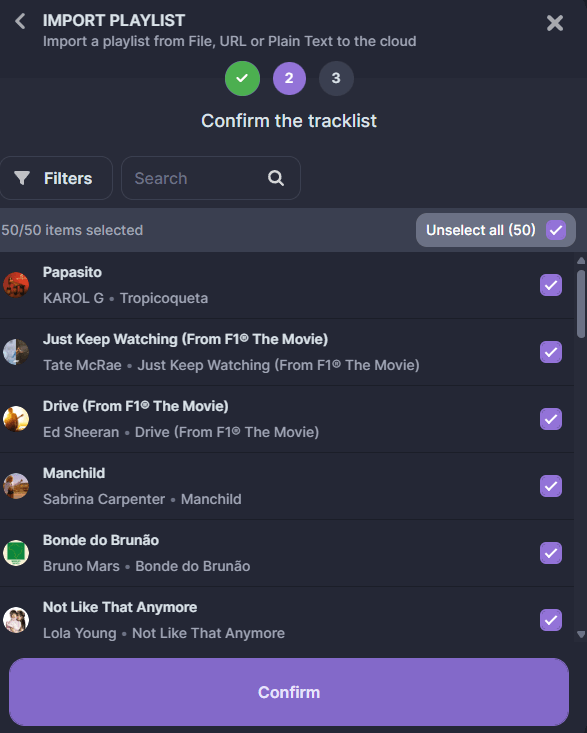
Note that you can deselect any songs you don’t like. Then click “Confirm”.
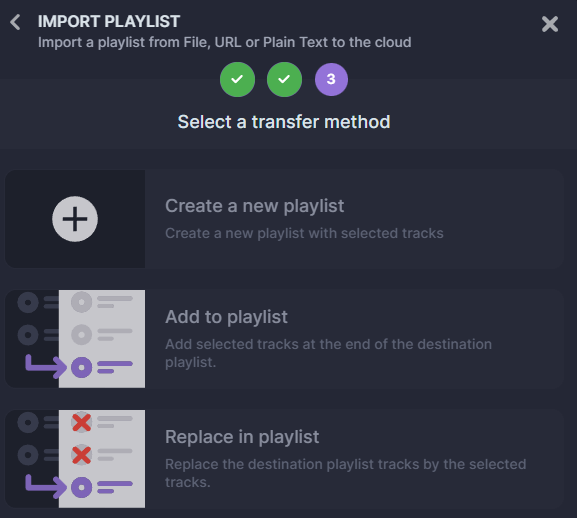
In the next window, you can adjust your preferences. You can create a new playlist from the URL you just copied, which will be added to your Deezer account. Or you can add the songs from the copied playlist to an existing playlist on your Deezer account.
Or you can replace the songs in an existing playlist with the ones you just selected. Here, we choose “Create a new playlist.”
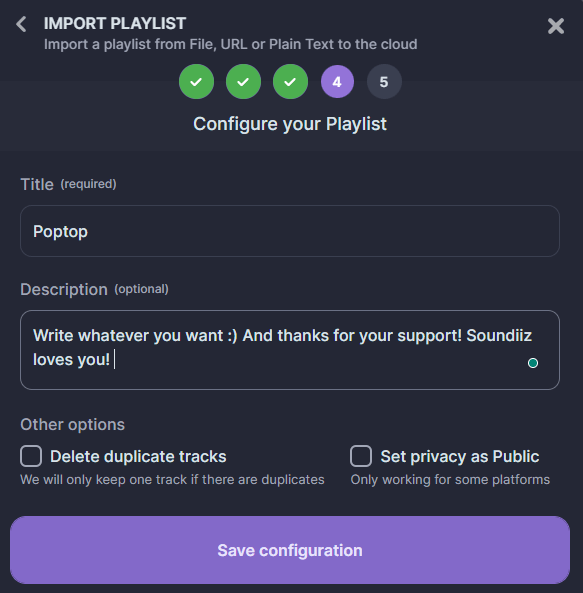
The window that appears lets you enter the information you need to customize the playlist. Then click “Save configuration.”
Then, select where you want to import this playlist. If you’ve successfully connected your destination platform, it will appear in the list below.
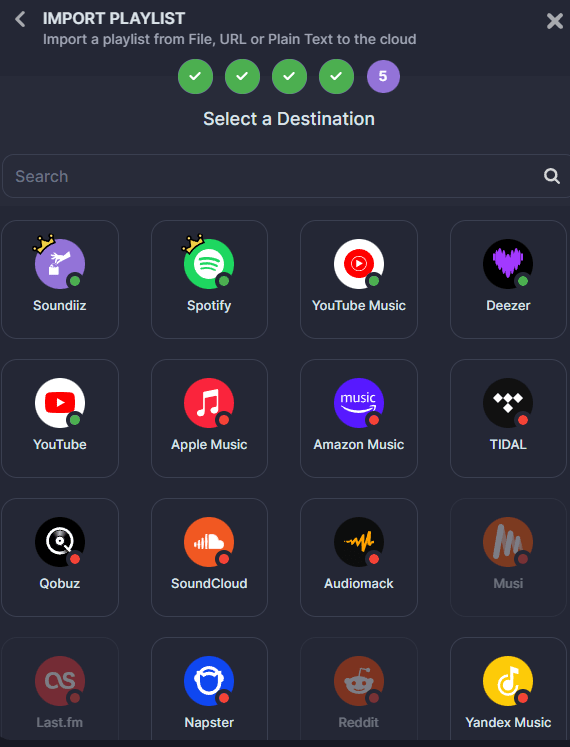
The import has begun! A window saying “Conversion successful” will appear after a few seconds. And, as if by magic, if you check your Deezer account, you’ll see that the new playlist is on your account!
It will also appear, of course, in your Soundiiz account, under the “Playlists” category in the “Your Library” section. You can manage it by deleting certain songs, and the changes you make will be reflected in your playlist.
You’re all set!
What else can you do with Soundiiz?
What can you do with Soundiiz? The answer is simple: almost anything! Want to switch platforms without losing your data? No problem. Our Transfer tool will identify your source library and migrate it to your chosen service. By creating a mirror of your playlists, liked songs, followed artists, and more, Soundiiz saves you a lot of hassle. Our Transfer feature is renowned for its efficiency, accuracy, and ease of use.
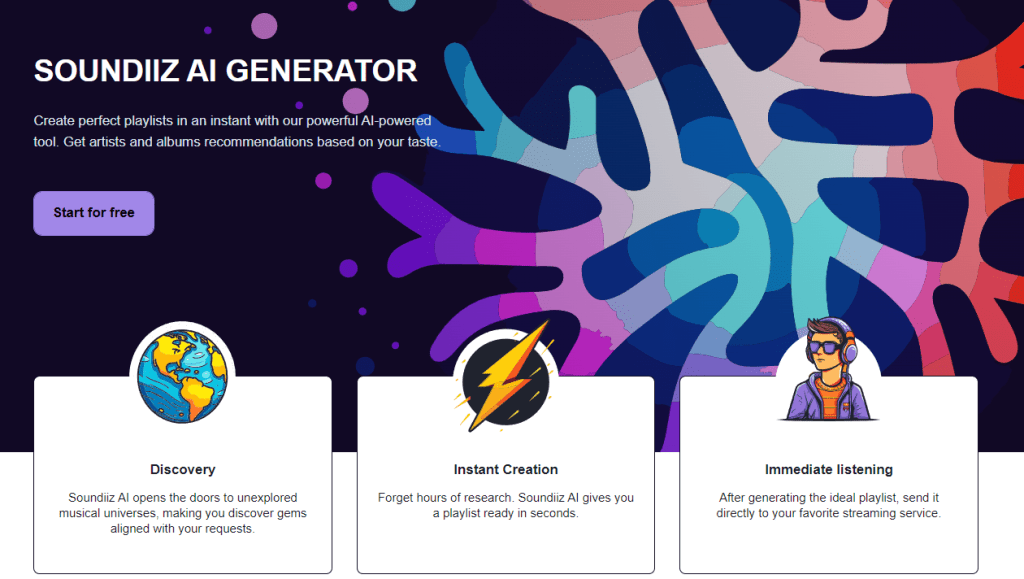
And if transferring your data isn’t what you need, we have plenty more to satisfy you. With our Artificial Intelligence tool, you can generate playlists based on criteria you enter directly through our tool. Whether you choose to enter a prompt as text or select predefined categories (musical genres, decade, genre, etc.), we’ll generate songs tailored to your tastes. This service is independent of streaming platforms and complements their algorithms.
It covers all your music discovery needs! The bonus? You can manually import these playlists to your music streaming platform via Soundiiz, as often as you like. New, constantly updated playlists will then be added to your library. Without you having to lift a finger! We told you: we’ve thought of everything!
And if AI or Transfer aren’t your thing, Soundiiz also lets you download your data, manage it easily, share it, and back it up securely. Not to mention our playlist synchronization tool! Soundiiz is the perfect companion to get the most out of your streaming platforms.
And to try it all out, click here!