Apple Music is a platform renowned for its user-friendliness, numerous features, and overall quality. However, you may want to consider trying another platform, such as Deezer. The question then becomes obvious: how to transfer playlists and data from Apple Music to Deezer?
Everything is explained in this article, so follow the guide!
Why would you want to transfer playlists and data from Apple Music to Deezer?
Let’s say it right away: it’s unlikely you won’t find what you’re looking for on Apple Music. With the launch of iTunes in 2001, Apple revolutionized the cultural world and, more specifically, the music world. By making hundreds of thousands, and now hundreds of millions, of songs available online, Apple initiated a revolution whose tremors are still being felt.

The American company has thus drawn on years of experience to offer, by 2025, a balanced platform that provides everything a user has the right to expect from its streaming service. In the eyes of its users, Apple still benefits from this pioneering aura, and even if its environment can sometimes seem opaque or intended only for users of other Apple-branded tools, it has successfully opened up to the general public. Today, it is the second-most-used platform in the world, behind Spotify. It has succeeded by focusing on balanced service across algorithms, usability, features, and innovations, and by positioning itself as a cultural hub.
By hiring specialized journalists and allowing them to host shows, launching multiple radio stations, and working in the event sector, such as the Super Bowl, Apple Music has managed to establish a presence everywhere to such an extent that it has invested in all cultural domains, successfully diversifying beyond its core business of streaming music.
But still…
Despite all these qualities, you may still want to consider making a change. We’re all the same: sometimes, it’s tempting to try something else. To see if the grass is greener elsewhere! In recent years, Deezer, a French music streaming service, has gained increasing attention for its efforts to counter AI’s influence and protect artists’ rights. Music lovers are turning to Deezer, primarily for the quality of its features but also for its work philosophy.

They find a platform that offers all the expected qualities, with particular attention to innovation, usability, and the overall app environment. Is there enough to compete with Apple Music? Currently, the two platforms are not in the same league in terms of user numbers. However, we’re betting that in a few years, an increasing number of people like you will want to transfer playlists and data from Apple Music to Deezer.
And here’s how to do it, step by step!
How to transfer playlists and data from Apple Music to Deezer? It’s a straightforward, step-by-step procedure that you can easily follow.
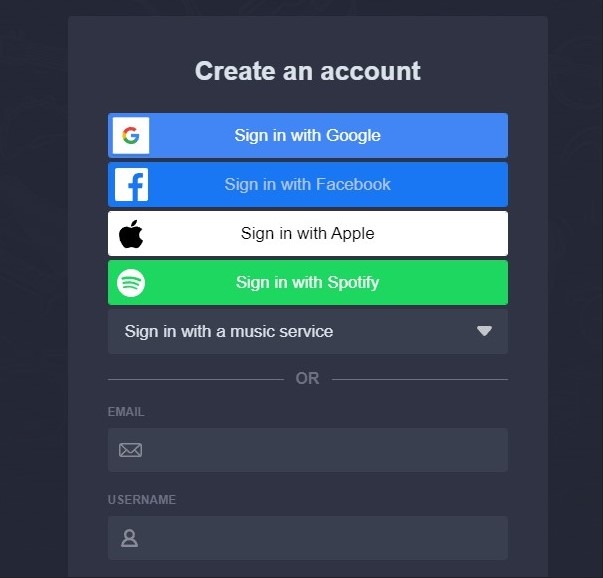
This may seem obvious, but you must create a Deezer account before you do anything else. It will provide you with a solid foundation to work on.
Then, if you haven’t already done so, create an account on Soundiiz or log in.
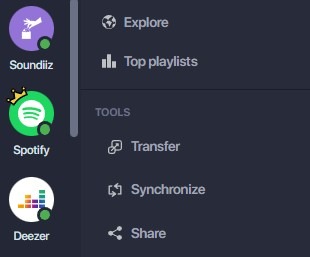
Once this has been done, you can access your Soundiiz Home Page. On the left-hand side of your screen, in the “Tools” section, you’ll see the “Transfer” section. Click on it.
This page will appear as follows:
This is where you’ll need to link your source account (Apple Music) and your destination account (Deezer). To do this, click “Select Source” and look for the Apple Music icon. Then click “Select Destination” and look for the Deezer icon.
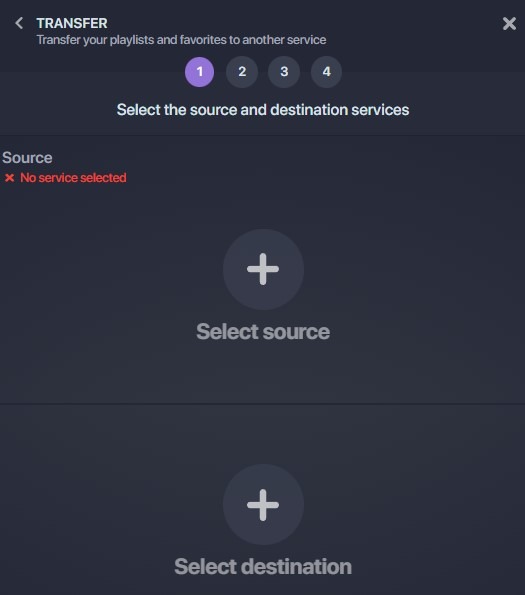
You’ll see a green “Connected” button in both sections if everything is working correctly. Click on the “Start” button.
Please note: this will only work if you already have a Deezer account. If not, there will be no green button.
Soundiiz will search to see which items are transferable to your destination platform. Select the items you want to transfer, then click “Confirm My Selection” and “Begin the transfer.”
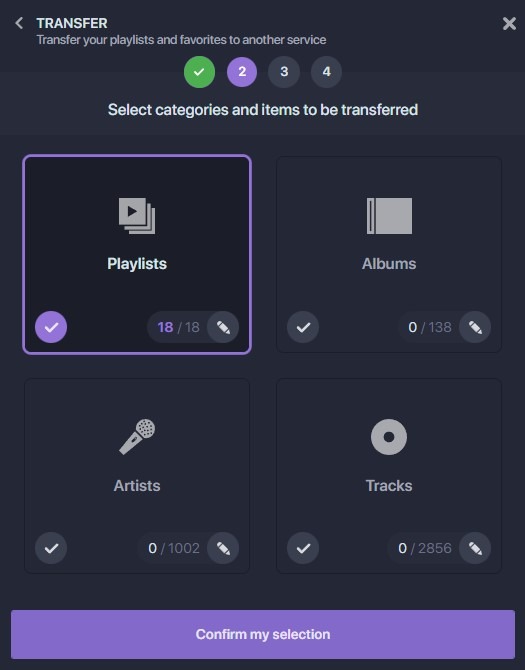
Note: if you use Soundiiz’s free version, you can only transfer up to 200 songs per playlist and one playlist at a time. Click here to check our Premium plans!
The transfer has just started! Depending on the amount of data transferred, it may take a few minutes to complete. You can check the transfer progress in the “Automation” – “My Batches” section.
Once the transfer is finished, you can rest assured that everything has been successfully moved. If you check your mailbox, you should find an email indicating that your transfer is complete, giving you peace of mind!
Is transferring playlists and data from Apple Music to Deezer free of charge?
One thing you should know: since our inception, one of our primary goals has been to ensure everyone benefits from our services. That’s why Soundiiz is available in a free version. However, there is a limit. With our free option, you can transfer up to 200 references at a time. That’s already quite a lot, but we realize it may not be enough.
That’s why we’ve introduced two other paid options. You can discover them here. They will allow you to enjoy everything Soundiiz has to offer and make it a daily companion in your listening habits.
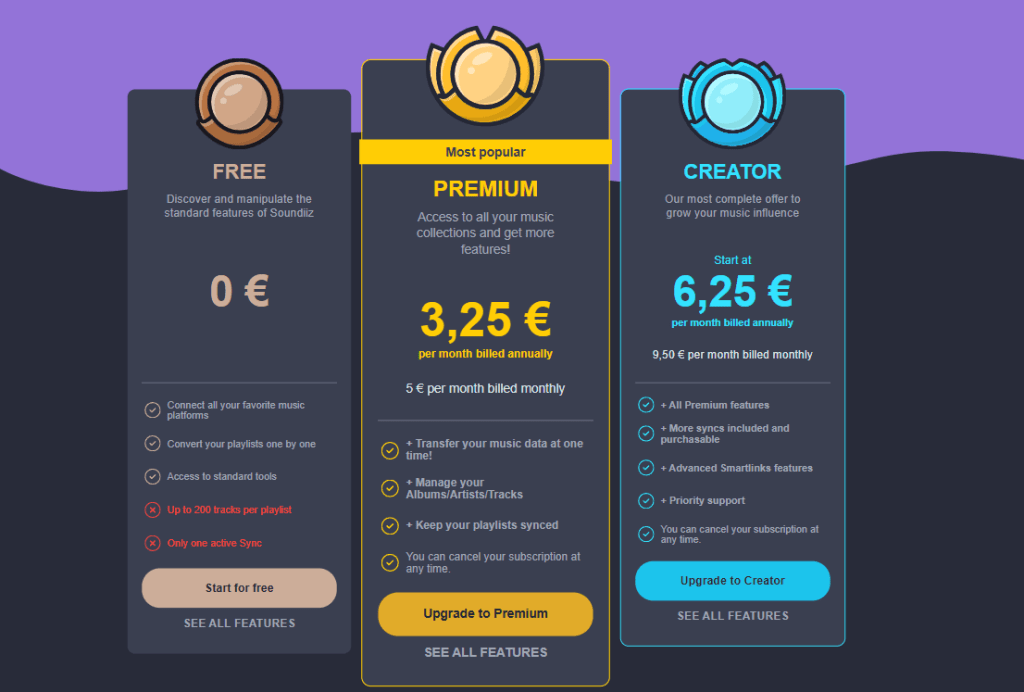
Remember, the choice is yours. If you want to subscribe to one of our Premium options and unsubscribe immediately after your transfer is complete, that’s entirely possible.
Even though, as you might expect, we’d like you to stay, we appreciate your trust in us and the value you see in our service!
What else can you do with Soundiiz?
Now that you know how to transfer your playlists and data from Apple Music to Deezer, you won’t lose any of the music you’ve accumulated over the years. But backing up, storing, and transferring your data isn’t the only thing Soundiiz lets you do—far from it!
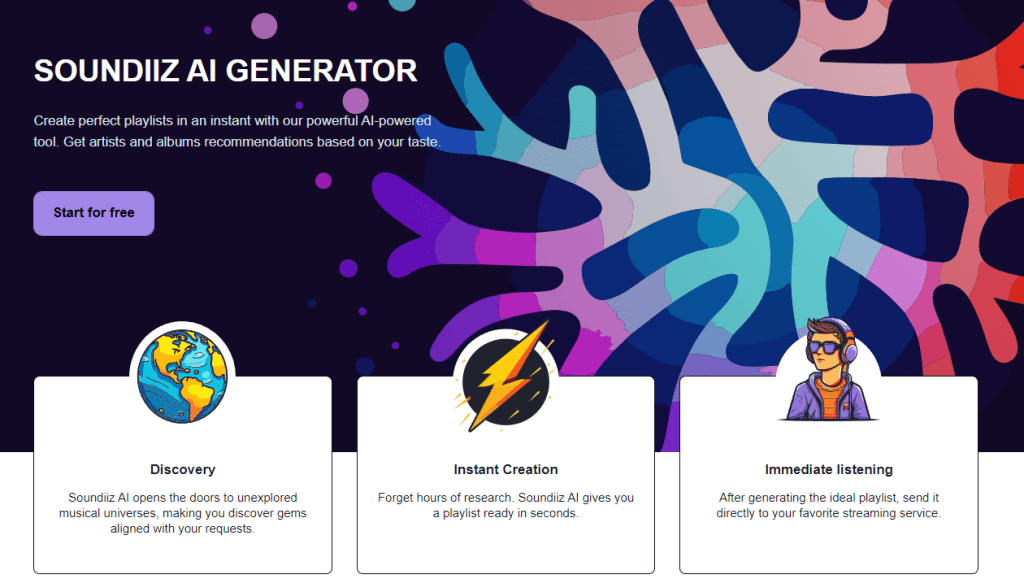
For example, we recently launched an AI tool that enables you to generate song and album lists tailored to your preferences. You can enter tags, such as the genre you want to listen to, moods, and specific decades, and let our AI suggest albums and songs that match your preferences. But you can also enter lines of text describing what you want to listen to and let Soundiiz do all the work for you. Many people want to discover new artists to add to their playlists. Our AI tool meets these needs. We designed it as a mix of existing AIs and our own so that it’s as close as possible to what you want. And if the figures are anything to go by, we’ve made no mistake!
Syncs!
As we explain in this tutorial, Soundiiz can also create playlist synchronizations. For example, you can listen to Apple Music playlists on your Spotify account and vice versa. You can choose to synchronize one playlist with another by selecting the daily, weekly, or monthly frequency. Soundiiz can replace songs in the destination playlist or add tracks to the end of the current tracklist. Every time you modify a playlist on one platform, if Sync is activated, this modification will be reflected on the other playlist.
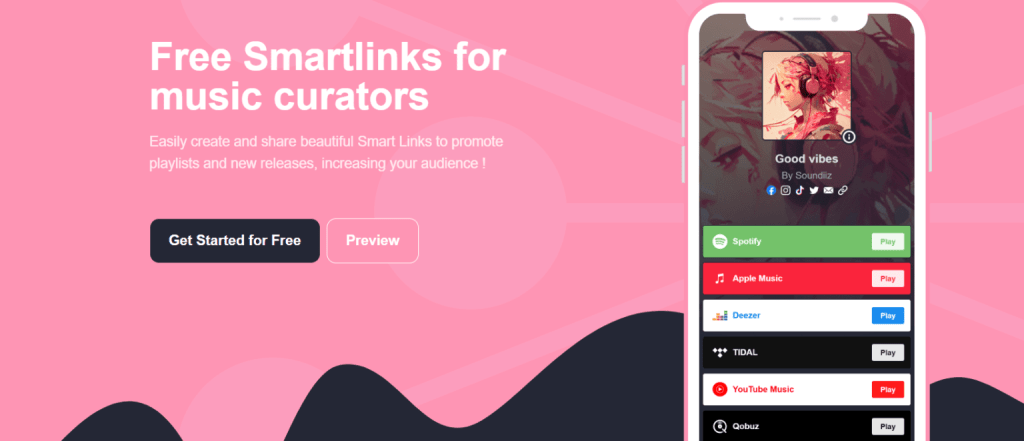
Another interesting feature is the ability to create Smartlinks. For musicians and artists of all kinds, this is an opportunity to create beautiful landing pages to bring all your information together in one place. It’s an indispensable tool for giving your content a premium look. Soundiiz also allows you to track these smart links, enabling you to understand what your listeners are looking for and their demographics. It’s an excellent tool for maximizing the reach of your work!
And to find out what our free and paid options let you use, click here.