Why are songs missing after a playlist transfer? Transfers are sometimes incomplete because they fail to find an exact match in the destination platform’s catalog. This can happen because of metadata differences, unavailable tracks, regional restrictions, local files, or other catalog differences between streaming services. Soundiiz, a data transfer tool known for its reliability, offers a solution: you can identify exactly which songs weren’t transferred, check your transfer success rate, and use the Fix feature to search for a matching version directly in the destination platform’s catalog. With Soundiiz, a missing song doesn’t necessarily mean it’s lost. It may simply require a manual match on the destination service. Here’s how it works and what you need to do!

Key takeaways
- Soundiiz identifies songs that could not be transferred between streaming platforms and displays them clearly, along with the transfer success rate
- When a song is missing after a transfer, the Fix feature searches the destination platform’s catalog so you can select the correct match and add it to your playlist
- Music transfers can fail because of differences in metadata, platform exclusives, locally uploaded tracks, or other catalog and compatibility issues between streaming services
- Soundiiz supports transfers across major streaming platforms including Spotify, Apple Music, TIDAL, Deezer, Qobuz, YouTube Music, SoundCloud, and Amazon Music, with Free and Premium transfer options.
Estimated reading time: 9 minutes
Why are songs missing after a playlist transfer?
When you transfer a playlist between streaming services, the destination platform doesn’t just copy the original tracks. A lot more happens behind the scenes. The tool you use to transfer your songs, like Soundiiz, has to find the corresponding version of the song on the destination platform. It’s what we call “matching”.
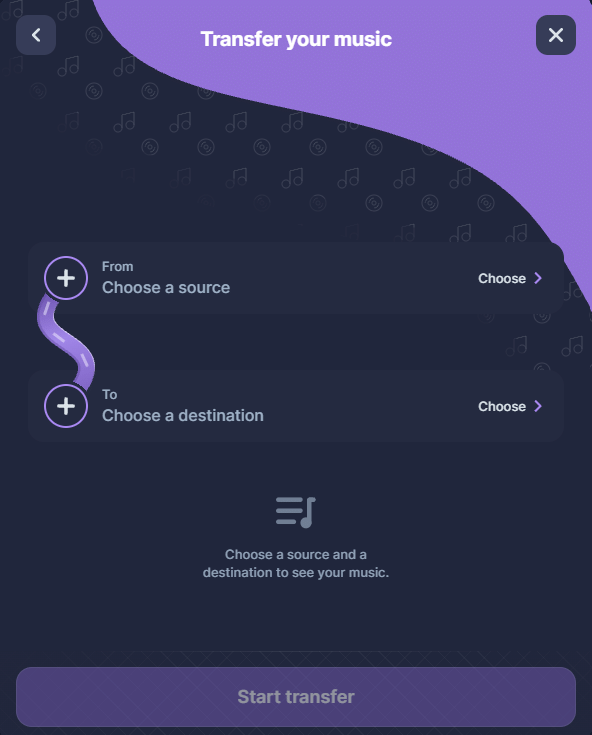
This process relies on several pieces of information, like the song title, artist, album, release, and other metadata. However, the same recording can appear differently across streaming services for many reasons. Several reasons can explain a matching issue between two platforms:
- Metadata (data used to identify a song) differs between platforms. As a result, the destination service doesn’t recognize the song because it doesn’t exist there in the same form.
- Some platforms have signed exclusivity agreements with artists and their labels.
- Some songs in your playlists may have been uploaded as local files from your computer. As a result, these songs don’t exist on a streaming service in an official, licensed capacity.
- Various unpredictable issues arising from platforms’ efforts to keep customers within their own ecosystems.
What happens when a song cannot be matched?
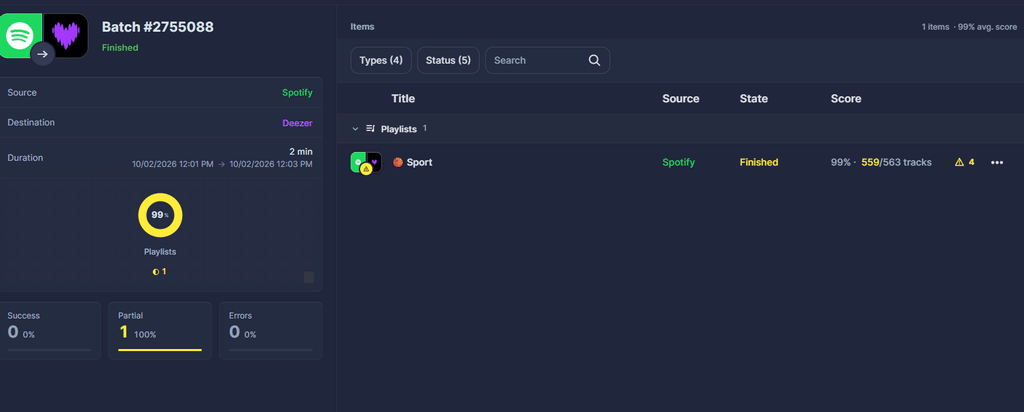
Once the transfer is complete, Soundiiz notifies you and lets you view the operation’s success rate. Go to the “Batch” section on your dashboard and click the transfer you just performed.
Two scenarios are possible:
- Your playlist has a 100% success rate; in this case, no further action is needed.
- Your batch has a success rate below 100%; Soundiiz will alert you.

For example, you just transferred a Spotify playlist with 100 songs to Apple Music, but only 97 songs appear. This means three tracks could not be matched automatically. Your transfer rate is 97%. In Soundiiz, you can open the transfer results, identify those three tracks, and find them in Apple Music‘s catalog.
Soundiiz displays your transfer score and the number of songs successfully transferred. Our tool also lists the songs that couldn’t be transferred. This feature helps you identify problematic tracks and take action.
How does Soundiiz fix missing songs?
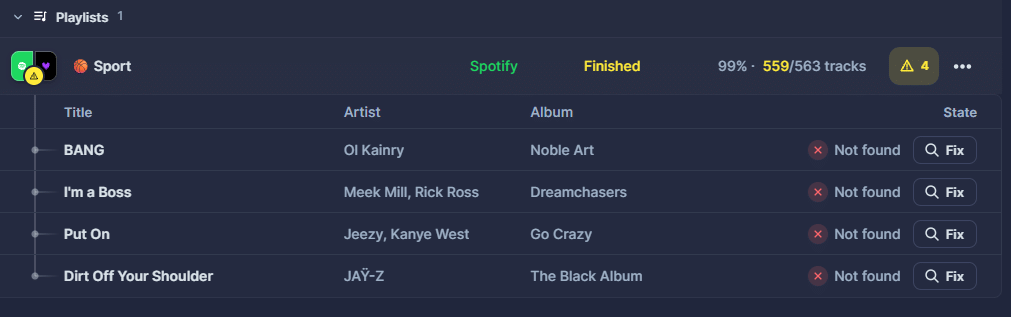
To access the list of untransferred songs, click the small yellow triangle on the right side of the screen. Now it’s time to fix the issues!
Next to each song title, you’ll see a white icon labeled “Fix.” Click on it.
A window opens and searches for the song in the catalog of the streaming service you are transferring to. One or more results will then appear in a list.
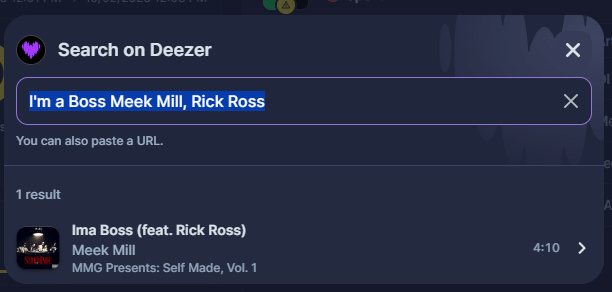
All that’s left is to click the song you want to transfer. What happens next? Soundiiz adds the song to your playlist—without you having to lift a finger!

Are the transfers available for all platforms?
Soundiiz supports transfers between a wide range of major music streaming platforms, including Spotify, Apple Music, TIDAL, Deezer, Qobuz, YouTube Music, SoundCloud, and Amazon Music. We’ve ensured our tools are compatible with as many technologies as possible, so there are no limits on what you can transfer or where you can transfer it to.
This is the result of years of trust built between Soundiiz and services like Spotify, Apple Music, TIDAL, Deezer, Qobuz, YouTube Music, SoundCloud, Amazon Music, and many others.
As a result, you can fix transfer errors across all these platforms.
Why did we create this feature?
At Soundiiz, our goal is to make your life easier—to let you transfer your entire streaming library in minutes while minimizing items lost along the way. We regularly update our tools to ensure the highest possible accuracy.
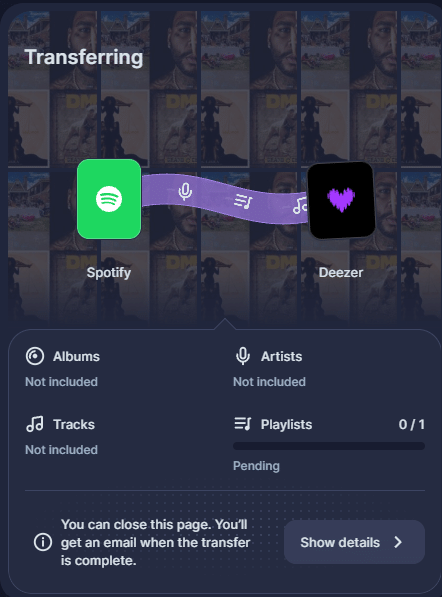
Adding a feature to fix transfer errors helps us stay true to that goal and ensures that what you transfer is exactly what appears in your destination library. We pay attention to every detail to get as close to perfection as possible!
Why would I want to transfer songs from one platform to another?
Many streaming platforms are on the market. Each has its pros and cons, and they all frequently update their features—and their prices. What once met your needs might not anymore, especially after updates to your current service or a competitor’s. Your preferences and needs evolve, too. That’s why you need a tool like Soundiiz, which gives you maximum flexibility.
After months or years on a platform, you might want to see if the grass is greener elsewhere and mirror your library on a new platform.
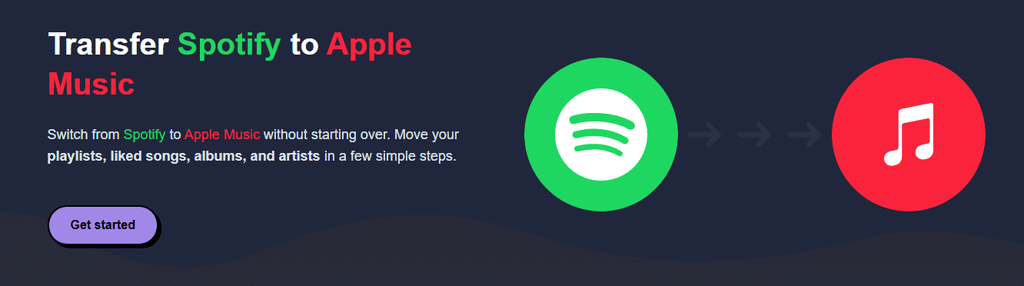
The problem? You certainly don’t want to lose all the data you’ve accumulated over time. Will your playlists, liked tracks, saved albums, and followed artists disappear if you transfer your data?
With Soundiiz, you don’t even have to worry about that: everything will appear intact on your destination platform. And thanks to the error-correction process we’ve developed, the transfer success rate should be close to 100%.
How can I transfer my music streaming catalog to another platform?
You can transfer all your streaming data using the Soundiiz Transfer tool. The process is simple:
- Connect both the platform you currently use and the one you want to migrate your data to within Soundiiz.
- On your dashboard, click “Transfer” and select your source and destination platforms.
- Choose the items you want to transfer.
- Start the transfer.
- Check its progress in the “Batch” section on the left side of your dashboard.
- Fix any errors by following the tutorial at the beginning of this article.
- Enjoy all your music on your new streaming platform!
What is the price of transfers with Soundiiz?
Soundiiz Free never expires and lets users transfer as many playlists as they want, one at a time. A source playlist can contain more than 200 tracks; users can select up to 200 tracks for a free transfer. The first 200 tracks are selected by default, and you can change the selection before starting. This limit applies to each playlist, not a cumulative quota across the account.
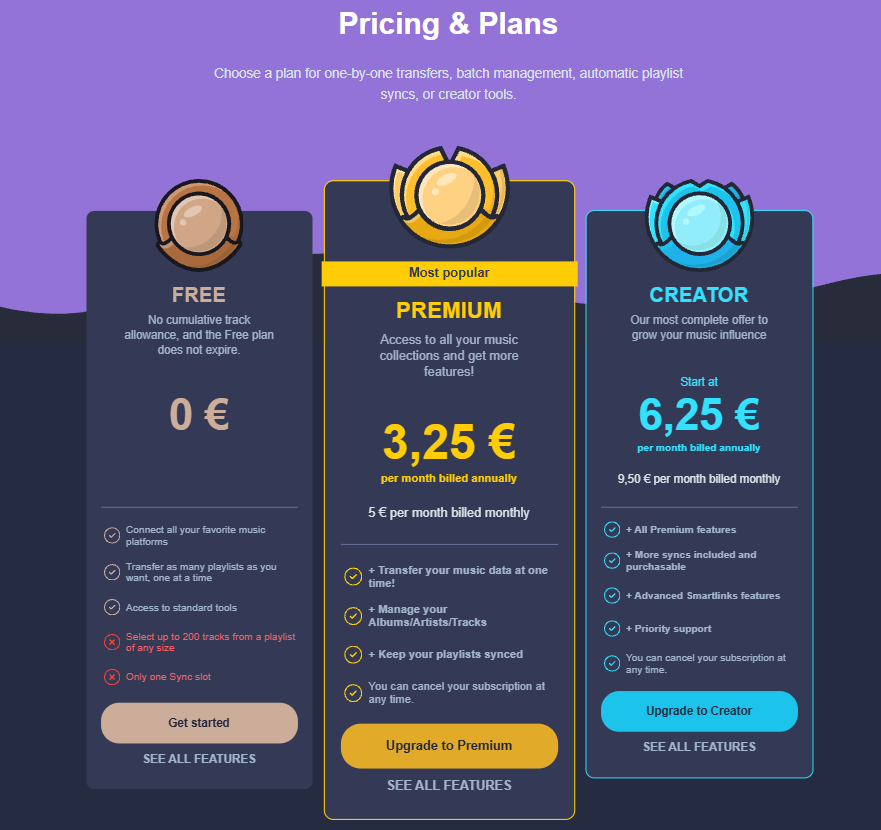
If you wish to transfer more songs at once, you can subscribe to one of the Premium plans. The good thing is that you can subscribe for a one-time transfer and then unsubscribe from Soundiiz. No strings attached—you can leave whenever you want.
What about other transfer tools?
Other services don’t offer the same flexibility and are more limited. After you use TuneMyMusic’s 500 free tracks, further transfers require a paid plan. FreeYourMusic works the same way after its allowance of 600 songs and one playlist.
TuneMyMusic or FreeYourMusic may therefore be more convenient when someone wants to transfer more than 200 tracks from a single playlist at once. Unlike those limits, Soundiiz Free doesn’t stop after 200 tracks or a single playlist: the 200-track selection limit resets with each playlist transfer.
Note: this article was written in October 2026. Limits and prices can vary, depending on when you read it.
What else can I do with Soundiiz besides transferring data?
While our Transfer feature made us famous, we’ve added many other features over the years to cover virtually all your needs.
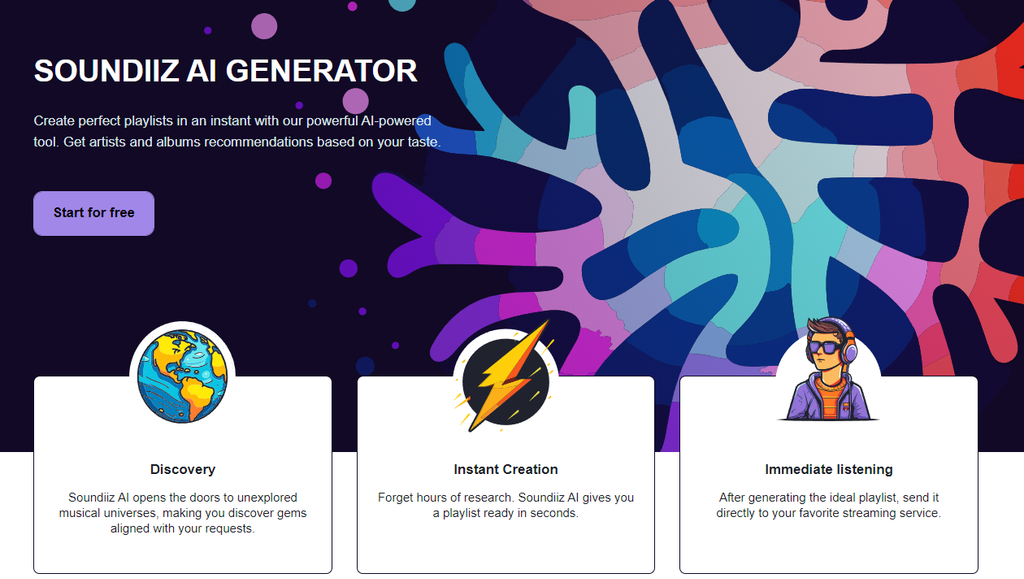
From AI-generated playlists, SmartLink creation, and playlist downloads to data import/export, synchronization, scrobbling, and viewing or managing your entire catalog—item by item—on a single interface… You can do it all, and Soundiiz puts it all at your fingertips. It makes Soundiiz the ideal companion for your streaming services.
To try everything Soundiiz offers, head over here!