With many options available, such as Soundiiz, TuneMyMusic, SongShift, and FreeYourMusic, it can be hard to determine the best tool for transferring playlists and data between music streaming services in 2026. Each one boasts specific qualities and features that set it apart from the rest. But which ones truly meet all your needs? Which tool will allow you not only to perform all the data transfers you want but also to manage your music library? – Psssst, can we tell you something? The answer is Soundiiz: the best overall playlist transfer tool.
Let’s take a look!
Key takeaways
- Soundiiz, TuneMyMusic, SongShift, and FreeYourMusic simplify playlist and music data transfers between streaming services, although unavailable releases and catalog differences mean transfer success is rarely 100%.
- Soundiiz is the most comprehensive playlist transfer tool, supporting more than 40 music services alongside transfers, playlist synchronization, data exports, AI playlist generation, scrobbling, SmartLinks, and music library management.
- TuneMyMusic is a user-friendly choice for quick transfers and includes backup, AI playlist generation, and playlist organization, while SongShift stands out for Apple users with transfer review and its SongMix feature.
- FreeYourMusic offers mobile and desktop apps, synchronization, listening statistics, and up to 600 songs and one playlist for free, but the article notes reported matching issues and glitches compared with Soundiiz’s broader feature set.
AI-generated summary
Estimated reading time: 17 minutes
- TuneMyMusic Review
- SongShift Review
- FreeYourMusic Review
- Soundiiz Review
- The best choice: Soundiiz, the best overall playlist transfer tool
Note: This analysis was conducted in September 2026, with the latest functionalities and prices at the time. Plans and features change: check each provider’s current pricing page before subscribing.
The best playlists and data transfer tools across music streaming services – Why were these tools created?
When iTunes burst onto the scene in the early 2000s, no one could have predicted what was to come. Making music downloadable and digital was certainly revolutionary, but music streaming? That was still just a distant prospect. And yet, with the successive arrival of Deezer, Spotify, and later Apple Music, nothing would ever be the same.
Platforms once seen as the “big bad wolves” have become business opportunities with seemingly limitless potential.
The market shifted from physical to digital, forcing artists and their labels to adapt to these new ways of listening to music. The industry underwent a radical transformation. It began to seem as though nothing existed anymore but music streaming. With the rise of the internet and social media, the digital world became ubiquitous, and music took on a whole new dimension.
Naturally, numerous other services carved out their own share of the market: YouTube Music, Amazon Music, TIDAL, and Qobuz launched one after another, leading to a fragmented landscape. Millions of customers chose one platform or another to listen to their favorite artists.
The issue—or the upside, depending on your perspective—is that while these services offer essentially the same core product, they differ in many ways. Customers want to try them out to see what each offers. That’s where the first major problem arises.
Answering all questions
What happens to all the data I’ve accumulated on my streaming platform so far? Am I doomed to lose everything if I decide to switch services? What about those playlists you spent months curating and are so proud of? That “Favorites” section with hundreds or thousands of tracks that you play on shuffle every day? Those artist profiles you followed to ensure you never missed an update? Are you really going to leave it all behind?
That’s where tools like Soundiiz, TuneMyMusic, SongShift, and FreeYourMusic become essential. They let you recreate supported parts of your library on your target platform in minutes. Switching music streaming services no longer means rebuilding every playlist one track at a time. The harder part is choosing a transfer tool that supports the services you use, moves the parts of your library you care about, and remains useful after the first transfer.

These tools save you headaches and, above all, make your life easier. With them, you can recreate your playlists on your new service without affecting the originals!
So, which service is best among Soundiiz, TuneMyMusic, SongShift, and FreeYourMusic?
Please note that none of these platforms control the catalogs or technical limits of destination services. An unavailable release
cannot be recreated identically, regardless of the tool used. The transfer success rate is therefore rarely 100% on large playlists.About accuracy figures: There is no single accuracy rate for playlist transfers. Results vary by source and destination service, catalog region, release availability, and the metadata each service provides. Soundiiz uses the track title, artist, album, duration, and, when available, the ISRC to find the equivalent release in the destination catalog. Any comparison that gives a single accuracy percentage should publish its test playlists, platform pairs, regions, and settings. It should also provide the raw results.
The best playlists and data transfer tools across music streaming services – Are we biased?
We know what you’re thinking. Soundiiz is a service that lets you transfer data between streaming platforms, among other things. It competes directly with the services mentioned in this article. You’re right. But that doesn’t stop us from trying to be objective, or from highlighting what others do—things we don’t always do ourselves, by choice and strategic positioning.
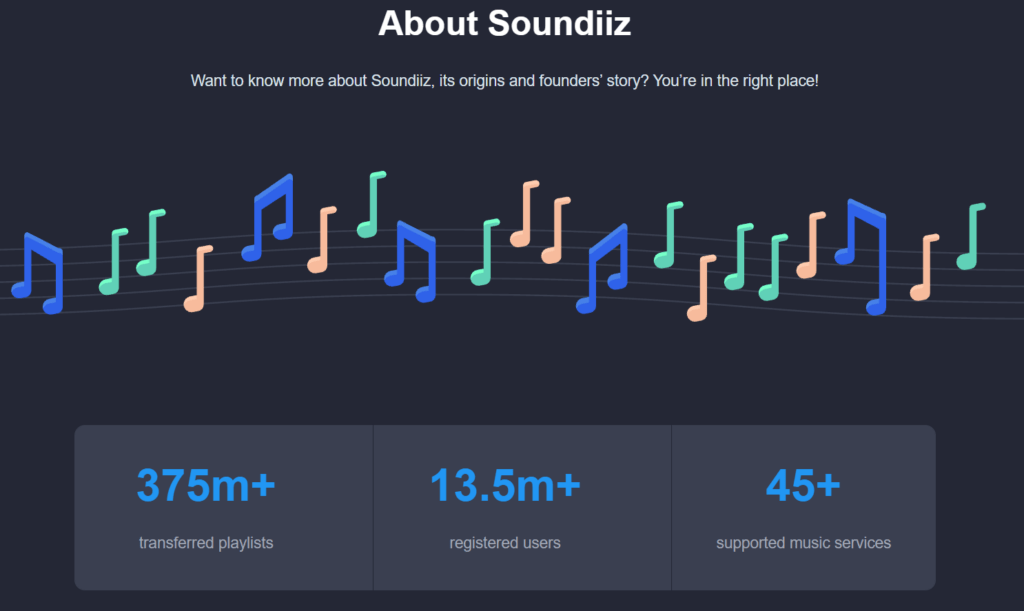
At Soundiiz, we’ve been transferring playlists and handling music streaming data for the past 13 years. We have a clear view of what works and what doesn’t, and what we offer that others don’t.
Our analysis comes from hours of testing and cross-checking the information discussed here.
Soundiiz is 100% independent
In recent years, some services have formed partnerships with streaming platforms. These allow users to transfer their data directly from their Apple Music, Spotify, or Deezer accounts. While this certainly simplifies the process, it can also create issues if the tool doesn’t perfectly match your specific needs.
Soundiiz is financially and operationally independent. We integrate with music streaming platforms and follow their technical requirements, while retaining control over our product roadmap and the features we develop.
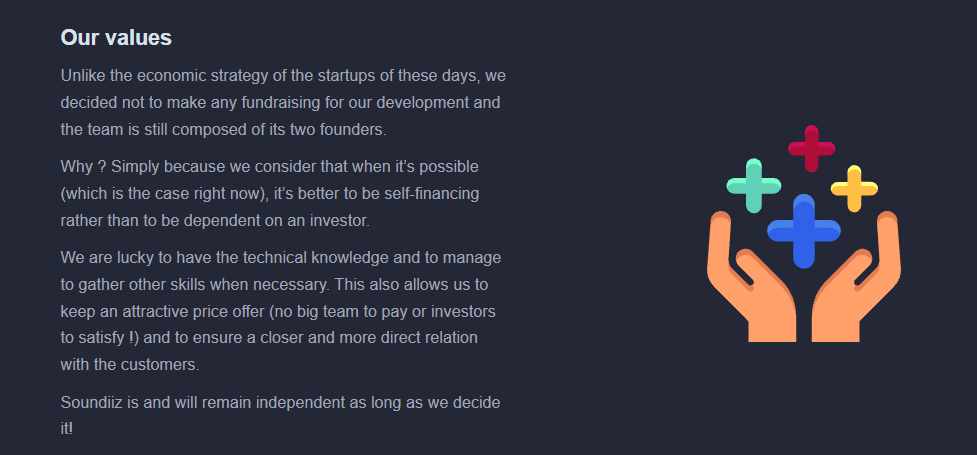
Putting our customers at the heart of everything we do—nothing else—is in Soundiiz’s DNA. It keeps us true to the promises we made to ourselves and to you when two engineers launched Soundiiz in Nantes, France, back in 2013.
And we are proud that, 13 years later, we haven’t strayed from that path!
Now let’s dive right in!
The best playlists and data transfer tools
TuneMyMusic
Let’s get straight to the point: TuneMyMusic is a high-quality tool that lets you manage your data and playlists in minutes. With 19 music services available for transfers, including Spotify, YouTube Music, Amazon Music, and other big players, it should cover your needs. Its Premium plans offer the flexibility needed to manage your data and meet your requirements—especially when you want to migrate songs and playlists from one platform to another.
TuneMyMusic is compatible with most popular streaming services, though it covers fewer services than Soundiiz, particularly for more specialized platforms. While TuneMyMusic should suit most users, it may not work for those who use more niche platforms.
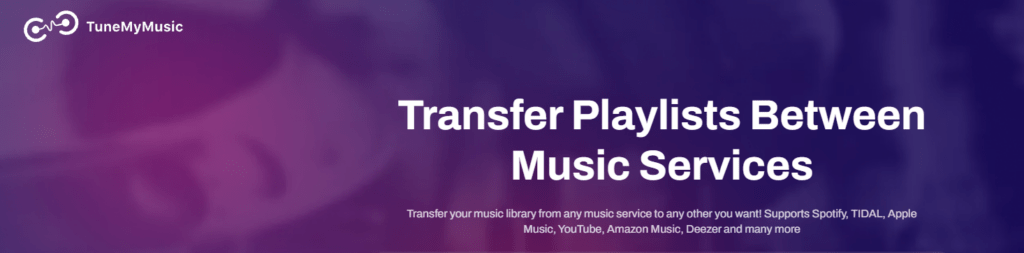
In terms of interface, TuneMyMusic has prioritized simplicity, offering clear, user-friendly navigation. Their transfer tool is clearly laid out, ensuring anyone can find their way around without difficulty.
Other TuneMyMusic features include a data backup tool, an AI playlist generator, and a playlist organizer—all effective, user-friendly additions. The AI tool lets you enter a line or two of text to generate a playlist based on your preferences, which you can then upload to your streaming platform.
What can TuneMyMusic do better, and where does Soundiiz go further?
However, it would have been nice if the interface also allowed for input via tags or specific criteria; that would have made it even more effective and detailed.
The same applies to the playlist organizer: while the ability to manage duplicate playlists is welcome, we would have liked to see more advanced features. This is largely because the service hosts its features directly in the web interface rather than in a dashboard accessible only after logging in. It’s a smart approach that lets you go straight to the features you need. However, it prevents TuneMyMusic from acting as a comprehensive, all-in-one companion for managing and using your streaming data.
It would also have been useful to have a SmartLink generation tool, which would appeal more to music professionals and influencers; Soundiiz offers one.
Users also report issues when transferring more obscure tracks, which can sometimes lead to cross-platform compatibility errors. While not a major problem—and certainly something that can be fixed manually—it still takes time and slightly reduces TuneMyMusic’s overall efficiency.
In short, TuneMyMusic is an efficient, user-friendly service compatible with the world’s leading streaming platforms; however, it lacks the features needed to become an essential tool for every streaming enthusiast, mainly because the platform supports fewer music services than Soundiiz, for example.
It would also benefit from a dedicated Android or iOS app to better meet every user’s needs, since it is currently only browser-based.
SongShift
It is difficult to evaluate SongShift the same way as the other services mentioned in this article because it is available only in the Apple ecosystem. Android and Windows users can’t use SongShift’s features.
SongShift is closely tied to the Apple ecosystem; its interface and usability are frequently praised as top-notch, with a native iOS feel that will be familiar to Apple users. The ability to review matches after a transfer, a feature also available on Soundiiz, is a useful way to check that the service has done its job properly.
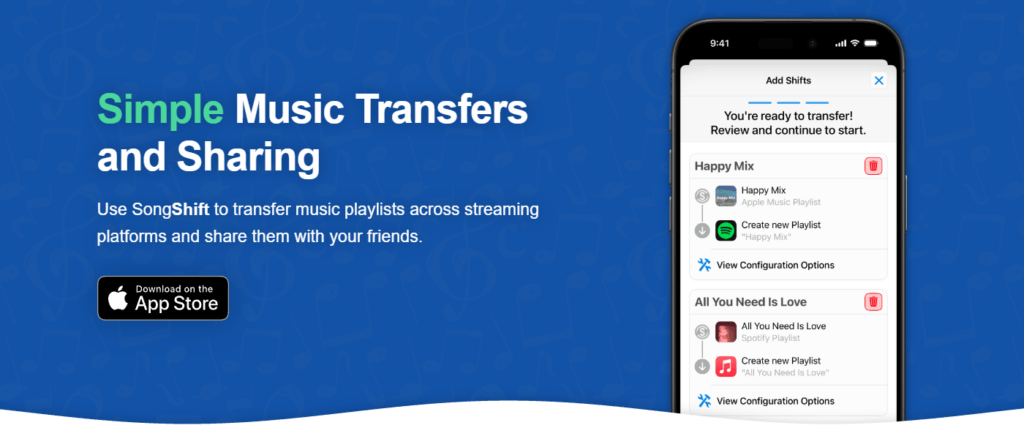
Another plus is the recent launch of the “SongMix” feature, which the developers describe as “our new app for sharing playlists, discovering what others are listening to, and connecting through music no matter which streaming service you use.” In an era when every app needs to strengthen its “social” aspect, this cross-platform compatibility and focus on connecting music lovers is a great idea!
What can SongShift do better, and where does Soundiiz go further?
With an efficient transfer function and a precise tool for detecting transfer errors, SongShift delivers on its promises. Yet, because it’s incompatible with many devices, it currently seems too limited to be considered the definitive transfer tool on the market. Android and Windows users are excluded from SongShift, whereas a service like Soundiiz aims to be available to everyone. With only 14 services currently available compared to Soundiiz’s 45, SongShift also seems too limited to be a truly all-around tool.
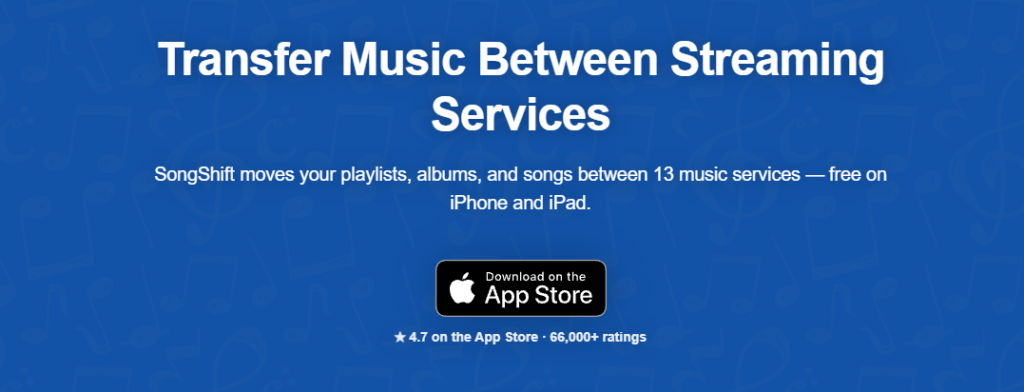
While SongShift is an interesting playlist transfer tool for users in the Apple ecosystem, Soundiiz is a more global service, supports more than three times as many platforms, and remains useful after your playlist transfers are complete.
FreeYourMusic
First off, FreeYourMusic is available only as a mobile app or desktop download, meaning there’s no full-web version, unlike Soundiiz, the only one of the four tools reviewed here offering a full web, iOS, and Android experience. FreeYourMusic’s free option lets you transfer up to 600 songs and one playlist before you need to switch to a paid plan.
Another advantage is the tool’s ease of use. Fast, efficient, and user-friendly, FreeYourMusic focuses on clear, accessible features to appeal to a wide audience. It also lets you view listening statistics to see which artists you listen to most and which musical genres you prefer. It’s an effective, well-designed addition to the stats you already get from the music streaming platforms you use daily.
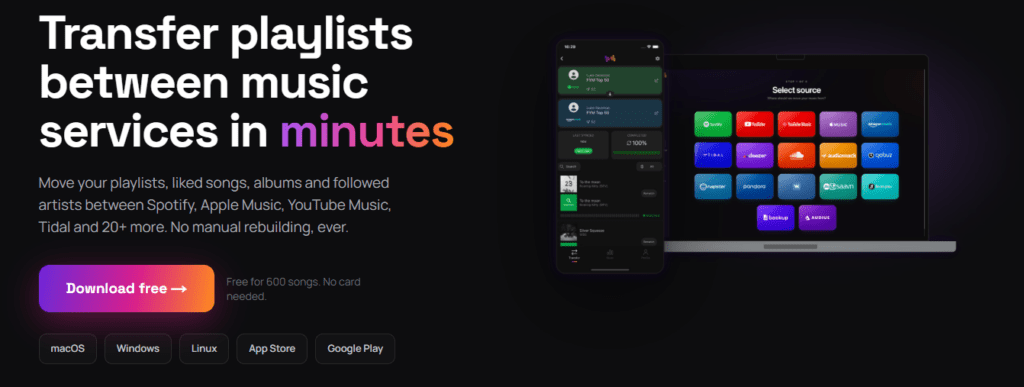
We also appreciate the synchronization feature—also found in Soundiiz—which lets you sync playlists generated on other services with your platform of choice. It creates synergies between competing platforms to your advantage.
A bonus? FreeYourMusic offers a lifetime payment option.
What can FreeYourMusic do better, and where does Soundiiz go further?
On the downside, some users have reported matching issues after data transfers; this is an area that needs improvement if FreeYourMusic is to be seen as a 100% reliable service. After all, users expect a near-perfect match rate when transferring data.
These issues force users to manually check and adjust their playlists, making the process time-consuming.
Some user reviews mention matching issues or transfers that had to be restarted. We did not encounter these problems during our testing, so they may depend on the source service, destination, or catalog involved.
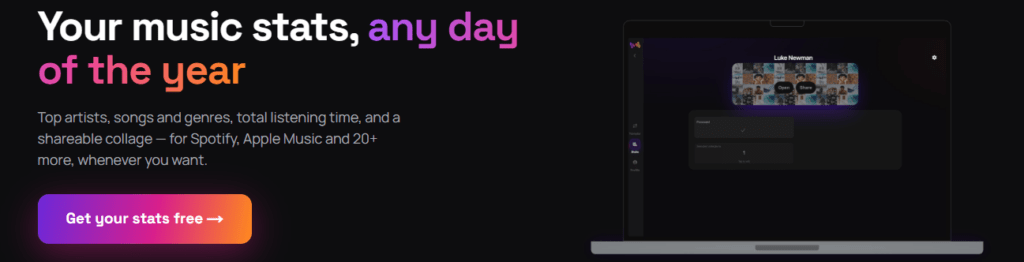
FreeYourMusic is easy to pick up and use, making it a great choice for users who value efficiency. However, some user feedback about matching and stability is worth keeping in mind, and its features are fairly basic—aside from playlist transfer and synchronization. With 20+ music services covered, FreeYourMusic is less comprehensive than Soundiiz, which supports 45 services and covers more needs for managing music data, including exports, AI playlists, scrobbling, and SmartLinks creation.
If you’re looking for a more comprehensive tool that does everything the aforementioned services do while adding a host of other options, head to the next section!
Soundiiz: an all-in-one solution
Soundiiz was created in 2013. Thirteen years later, it remains independent and self-financed, and is still operated by the two engineers who created it. Today, Soundiiz has more than 13 million registered users and has transferred more than 375 million playlists. It supports 45 music services, is available on the web, iOS, and Android, and has forged strong partnerships with major players across the music industry, such as TIDAL, Qobuz, YouTube Music, Amazon Music, Audiomack, Beatport, etc.
Soundiiz also works with DJ platforms and regional services. Music databases, scrobbling platforms, and self-hosted libraries extend the range further.
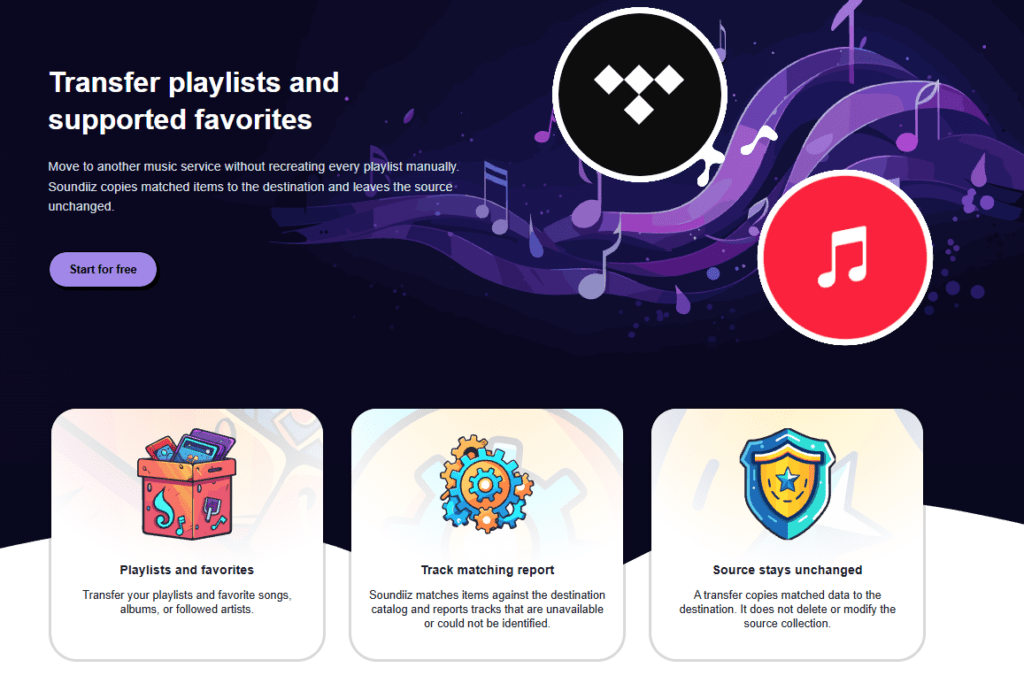
Soundiiz brings together everything mentioned earlier, and it goes even further. It doesn’t just transfer your data from one platform to another; it also lets you manage it with a wide range of options.
You might not realize it, but our Transfer feature is just the tip of the iceberg.
Export your playlists and library data
Beyond transfers, you can export playlists and favorites in several file formats—in .CSV, text, or other formats. These files give you a local copy of your data. And it also makes it easy to import elsewhere whenever you like.
Keep playlists synchronized
The Soundiiz dashboard also lets you synchronize existing playlists between supported services, or create SmartLinks to share playlists, measure their reach, and present them in an attractive way.
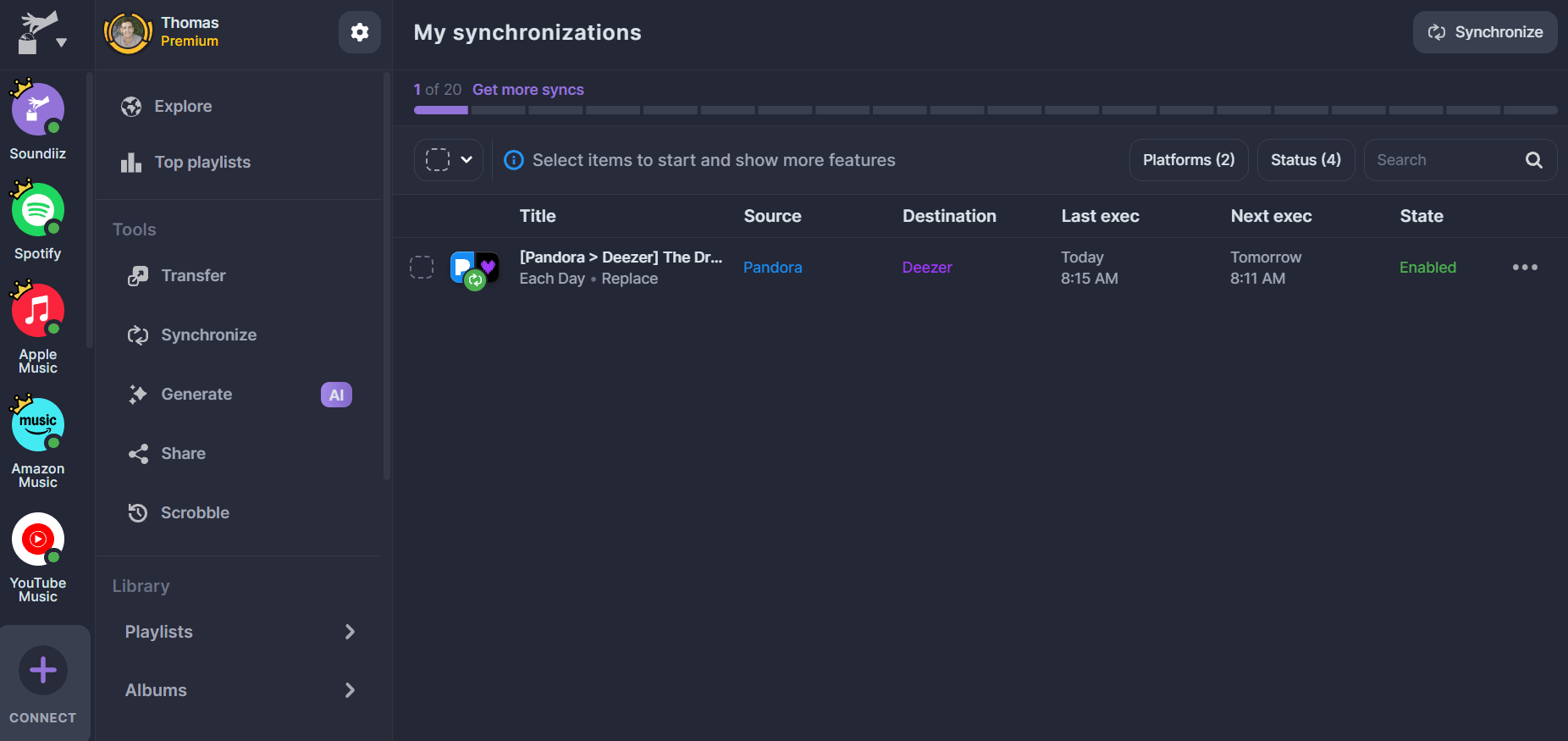
Soundiiz is constantly updating its tools. For instance, you can scrobble tracks selected from playlists, albums, or favorites to Last.fm or ListenBrainz.
Build playlists and measure their reach
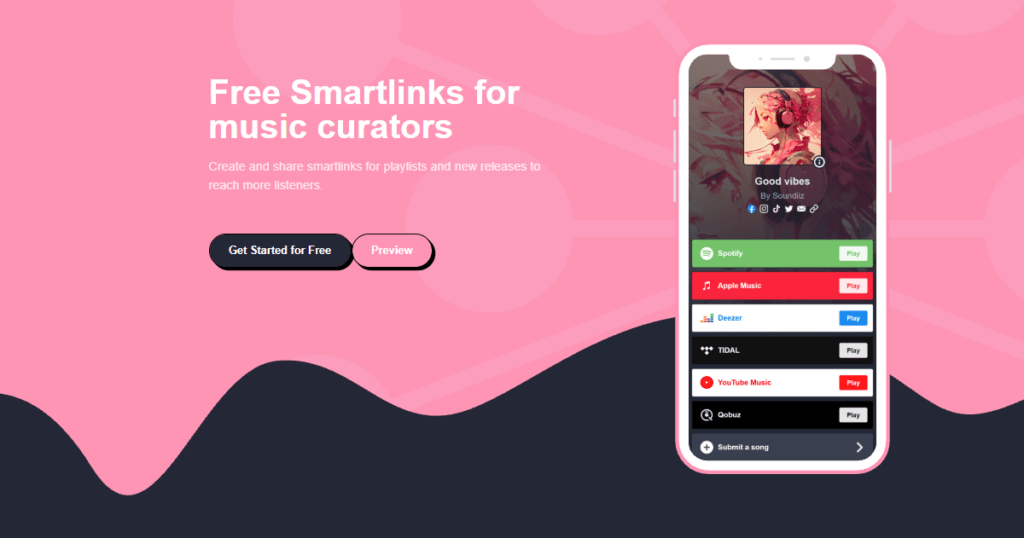
Creating efficient, attractive SmartLinks with Soundiiz and gathering your links in one place is also one of our most appreciated features. Artists, labels, content creators, music influencers, and anyone who wants to share their music appreciate our SmartLinks because they can track them, measure reach, and use statistics to analyze their data.
Infinite possibilities
Soundiiz acts as an extension of streaming platforms; we work alongside them while keeping your needs in mind. That’s exactly why, a few months ago, we launched an AI-powered playlist-generation tool.
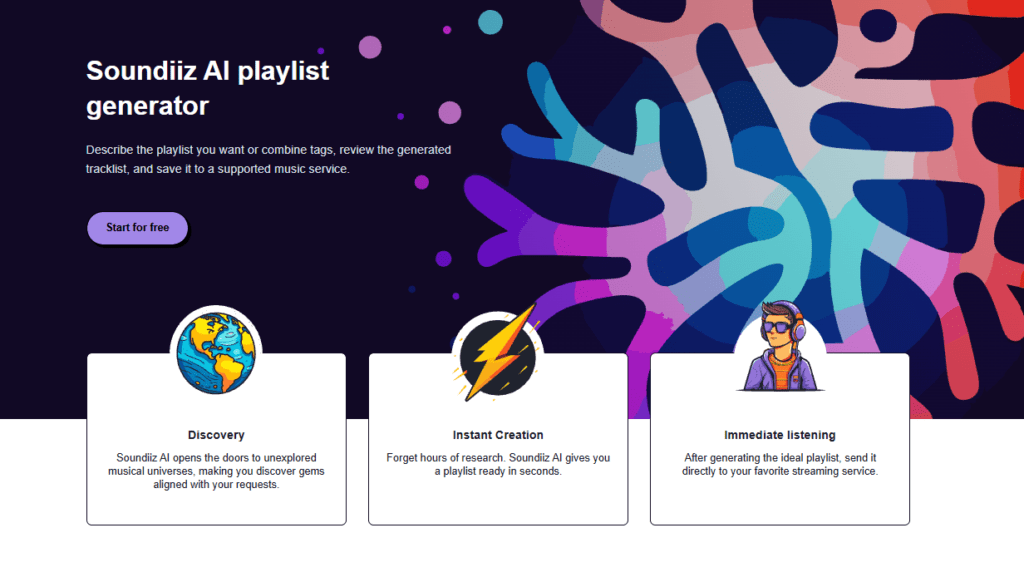
By entering tags or prompts, you can precisely describe the kind of playlist you’re looking for and how often it should be updated, then find it ready to use on your streaming platform.
Tech experts have described us as a “Swiss Army knife.” That is exactly how we designed Soundiiz, and it’s the vision guiding our continuous tool improvements. We want to be your go-to solution for everything related to your music consumption. In our dashboard, you’ll find features you might not even have thought of.
With Soundiiz, you can export, scrobble, sort, add to other playlists, share, delete, and even purchase available tracks in your playlists—all via the web or our dedicated mobile app.
There is a lot you can do: manage, edit, and export playlists and supported library data from the same dashboard.
The best playlists and data transfer tools – Our choice: Soundiiz!
What are the best playlists and data transfer tools in 2026? Soundiiz! Okay, you probably saw that coming. But honestly, after testing all the platforms we mentioned, Soundiiz is the most comprehensive option. It doesn’t just cater to people looking to transfer their data from one platform to another once; it serves the entire community of music lovers.
To sum it up:
| Soundiiz | TuneMyMusic | SongShift | FreeYourMusic |
| The best choice overall, with 45 services, accurate playlist and data transfers, detailed data organization, cross-platform syncs, exports, AI features, scrobbling, SmartLinks, and many other tools. | A good choice for a quick one-time transfer through a browser. | A nice option if you are in the Apple ecosystem | Interesting thanks to its native desktop apps for frequent syncs |
How the free limits really compare
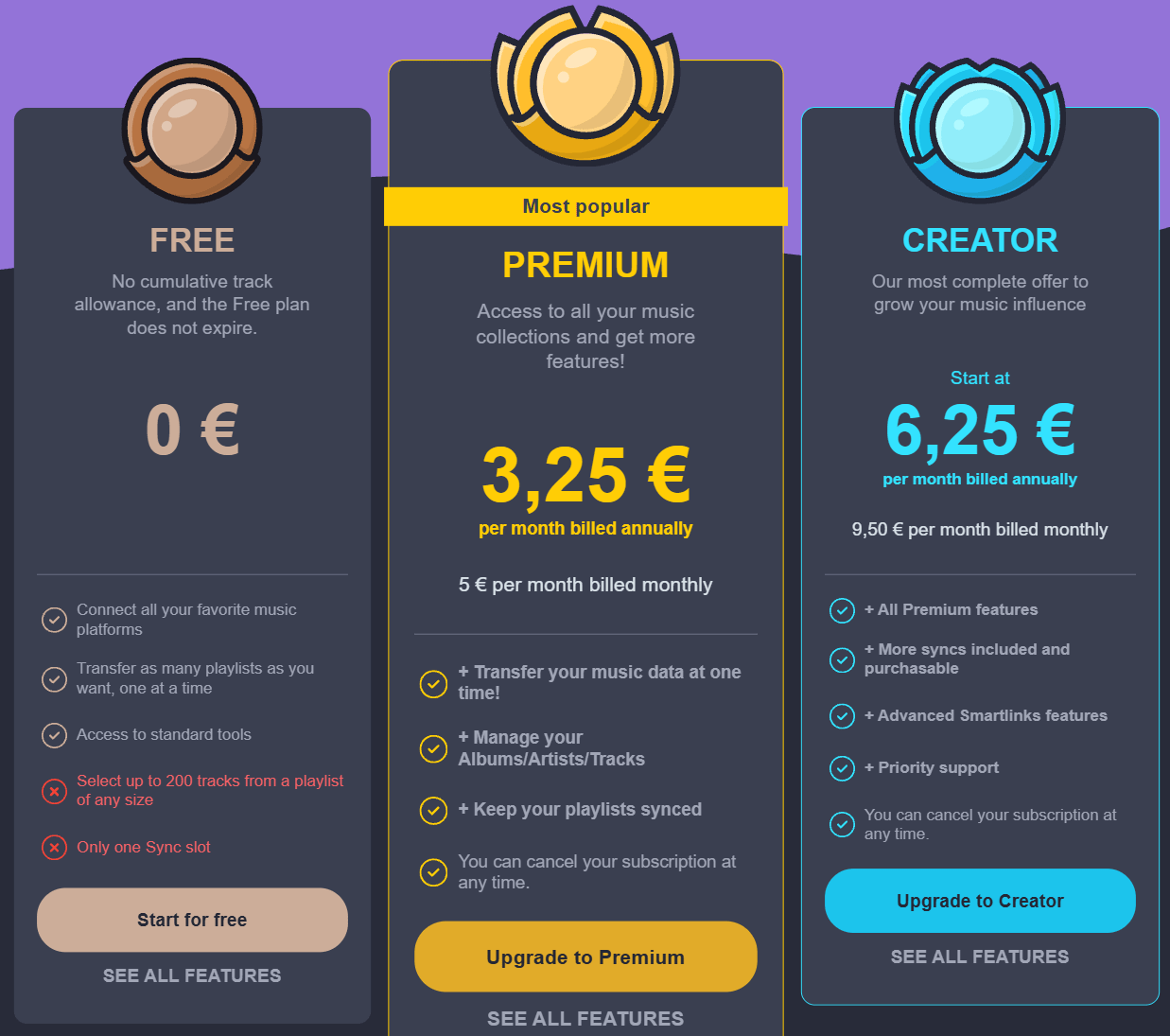
Free plans work differently across these services. Soundiiz Free does not expire and lets users transfer as many playlists as they want, one at a time. A source playlist can contain more than 200 tracks; users can select up to 200 tracks for a free transfer. The first 200 tracks are selected by default, and you can change the selection before starting. This limit applies to each playlist, not a cumulative quota across the account.
Once TuneMyMusic’s 500 free tracks have been used, further transfers require a paid plan. FreeYourMusic works the same way after its allowance of 600 songs and one playlist. TuneMyMusic or FreeYourMusic may therefore be more convenient when someone wants to transfer more than 200 tracks from a single playlist at once. Unlike those total allowances, Soundiiz Free does not stop after 200 tracks or after one playlist: the 200-track selection limit starts again with every one-by-one playlist transfer.
The most complete choice in 2026 is Soundiiz
Soundiiz is highly valued by users who not only need to switch streaming platforms but simply want a reliable, transparent, and secure tool to manage their music libraries. Soundiiz covers the larger job. It supports more than 40 services and continues to help once the first transfer is complete. Batch transfers, playlist tools, and favorite management are part of the same account. Automatic Syncs and exports are included too, alongside AI generation. Scrobbling and SmartLinks add further uses. Creator features make Soundiiz the best overall playlist transfer tool in this comparison.
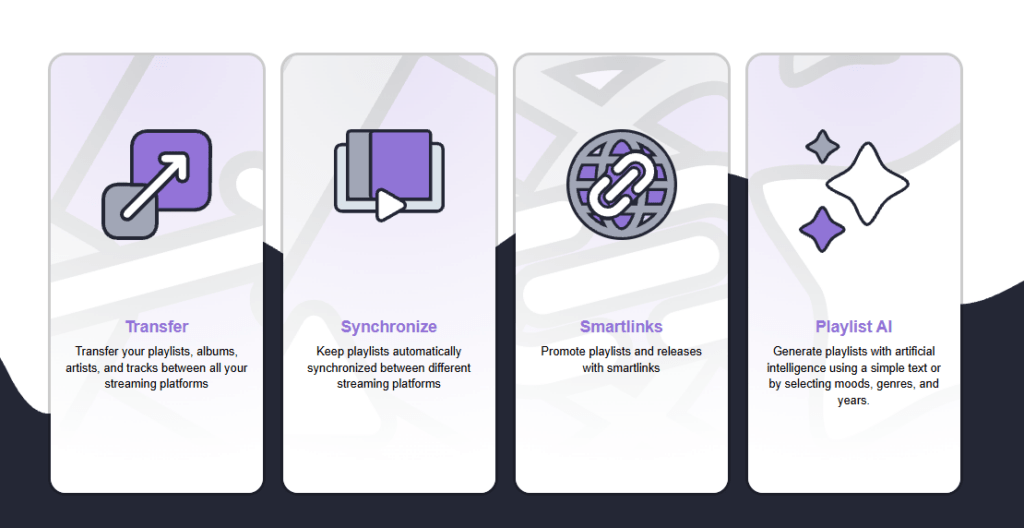
Our dashboard, our features, and our commitment to continuously updating our tools to meet as many needs as possible make Soundiiz a service that truly listens to its users while looking toward the future.
In an increasingly competitive streaming landscape, we believe it is useful to have tools that work across different platforms rather than being limited to a single ecosystem.
And if you want to try out everything we have to offer, head over here!
- Apple Music Review 2026: Pros, Cons & Is It Worth It?
- Biggest streaming records of all time: Songs, Albums & Artists (Updated October 2026)
- Why do songs disappear from Spotify and other music platforms?
- How to transfer music playlists between Spotify, Apple Music, Deezer, TIDAL & more
- October updates