It’s a puzzle that thousands—if not hundreds of thousands—of people have faced. How do you create a link that generates a playlist across all streaming platforms in 2026? How do you satisfy everyone, without exception? With the vast array of tools and options available today, it can be hard to navigate the landscape.
But Soundiiz has the solution you need: a feature that brings all your streaming platforms together in one place!
Too good to be true? Think again—we explain everything right here.
Estimated reading time: 14 minutes
*This article is an updated version, with a clearer procedure, of an oldest one, published in 2025
Key takeaways
- Soundiiz lets you create a single Smartlink that brings the same playlist together across Spotify, Apple Music, YouTube Music, TIDAL, Deezer, and other streaming platforms.
- To create a link that generates a playlist across all streaming platforms, first transfer the playlist to your chosen services, then combine those public playlists into one Soundiiz Smartlink.
- A Soundiiz Smartlink can be customized, shared from a single URL, and, with Premium options, tracked to provide useful click and audience metrics.
- Soundiiz also provides playlist transfers, data management, synchronization, downloads, and AI-powered playlist generation, making it a comprehensive tool for managing streaming music data.
AI-generated summary
Create a link that generates a playlist across all streaming platforms – The dilemma
Let’s be honest: we know you’ve been asked something like, “How can I listen to this playlist on Spotify when you only uploaded it to Apple Music?” Especially if your friends and family know you work in the music industry or are music enthusiasts.
You might well be the go-to music expert in your circle—the person everyone turns to when they want to discover new artists.
So, what do you do? How do you answer someone who wants to listen to your playlist because they admire your taste? It’s flattering, sure, but then what? You likely find yourself in the same boat as many others: unable to meet their needs.

You understand where they’re coming from; you’d be frustrated too if someone you trusted shared a playlist with you that you couldn’t actually listen to—often for a reason that seems silly, like you using TIDAL. In contrast, their playlist was created on YouTube Music.
For years, Soundiiz has made it possible to transfer any playlist to any platform in just minutes. By making your playlist available on whichever platforms you choose and—optionally—generating a SmartLink, Soundiiz has met the needs of countless users and helped broaden musical horizons.
Create a link that generates a playlist across all streaming platforms – The solution
You might be a music influencer, blogger, media outlet, DJ, wedding planner, hotel, artist, record label, or anyone else who creates playlists—and shares them on websites, blogs, social media, or anywhere else online where you showcase your creations.
You want to meet the needs of all your clients, listeners, friends or users. But with the sheer number of streaming platforms on the market today, generating a playlist link for every single one is impossible. Well, okay—maybe not “impossible”, but certainly extremely time-consuming.

You would have to open an account on every platform and then rebuild the same playlists, track by track. It can take hours and hours. And you probably don’t have that kind of time, right?
So, what’s the solution? How can you ensure that a single displayed playlist can be imported into anyone’s streaming service with just a few clicks—without a complex, multi-step process?
Efficiency
With these challenges in mind, Soundiiz has created a tool: a simple, effective process that lets anyone transfer a playlist to their preferred platform. With just a single link. Just one.
You can then display this link on your website or app, allowing your users to open the tracklist wherever they want, and listen to it on the platform they use on a daily basis.

It’s a way to stay closely aligned with your audience’s tastes while ensuring maximum transparency. All while staying true to Soundiiz’s DNA: serving as an unparalleled management tool for your music catalog and making everything editable and transferable.
Now that you understand how the tool works, its purpose, and why it will likely be useful to you, let’s look at how to use it with a concrete example.
Create a link that generates a playlist across all streaming platforms – The procedure
Let’s picture it: you have the PERFECT playlist. And want to share it to the world. Or to your friends, so that they can enjoy your unique music tastes – as they say. What’s the first thing you need to do?
Go to Soundiiz.com. Nothing complicated so far. Rest assured, the next steps are just as simple.
Create a Soundiiz account and access your dashboard.
First, you’ll need to connect the streaming platform you use daily to your Soundiiz account—or at least the one containing the playlist you want to use to generate a cross-platform link.
Here, we’ll use Spotify as the base platform.

To connect a platform, click the “Connect” button on the left side of your screen. You’ll see your platform’s icon appear in the list of options. Click it and authorize Soundiiz to connect to it.
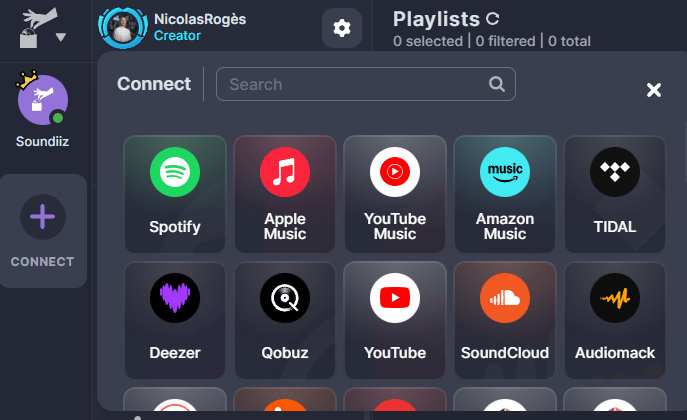
Once connected, your platform’s icon will appear with a small green button on the left side of your screen. That means you’re good to go!
Your data will then appear on your dashboard. In the “Your library” section, click on “Playlists.”
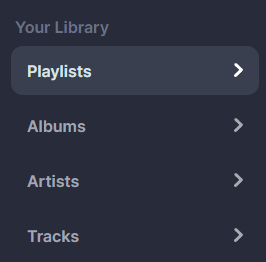
A list of the playlists you’ve created will appear. You can manage each one individually. Click on the playlist you want to generate across all streaming platforms.
A page similar to this one will appear.
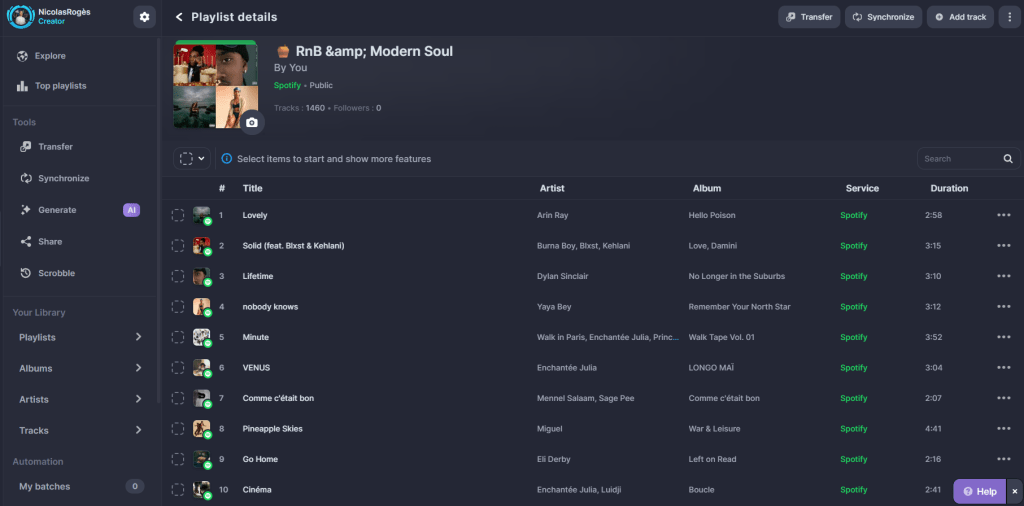
Next, click the gray “Transfer” button in the top-right corner of your screen. This feature allows you to transfer the playlist to any platforms you choose.
Note: for the transfer to work, you must already have an account on each of the streaming services. You don’t need a paid subscription; you need to “exist” on those platforms.
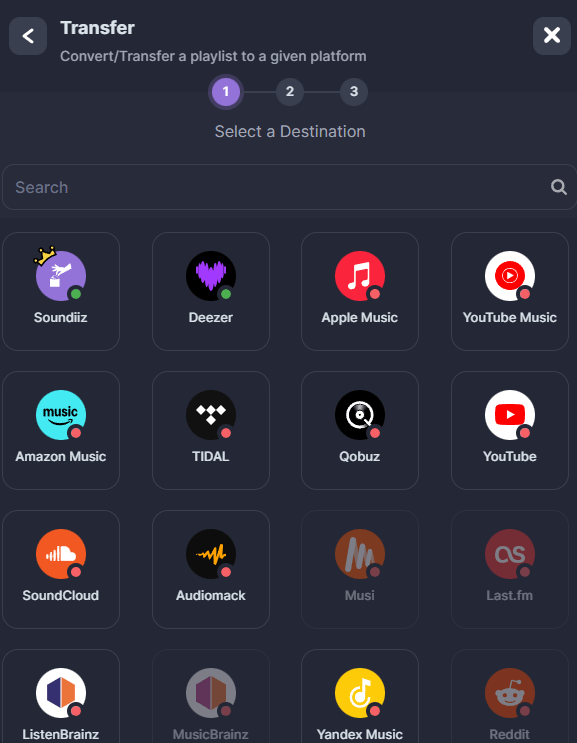
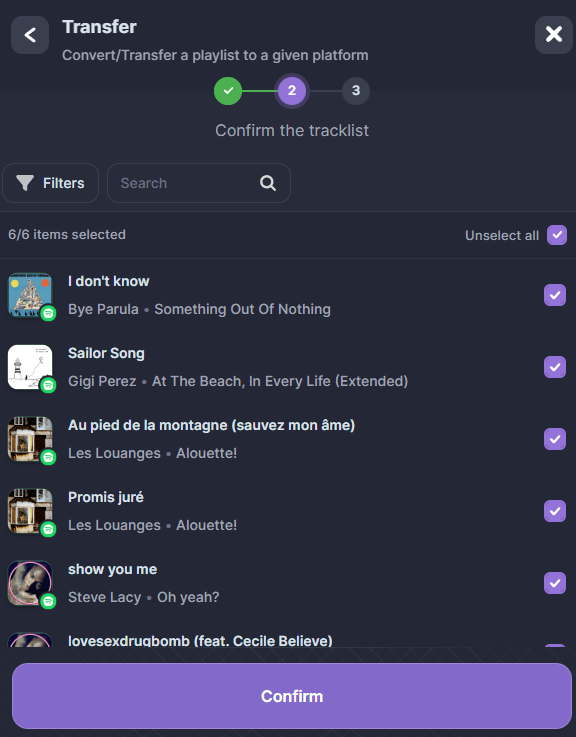
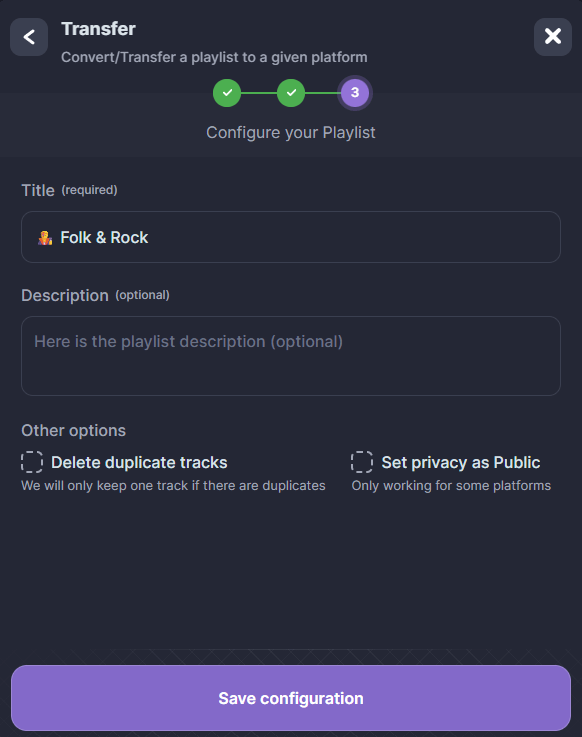
Once you’ve connected these platforms to your account and selected the ones where you want to transfer your playlist, click on one of the icons. You can review the playlist and change its title or description.
Once you’re happy with it, click “Save Configuration.” Soundiiz handles the transfer—you don’t have to lift a finger!
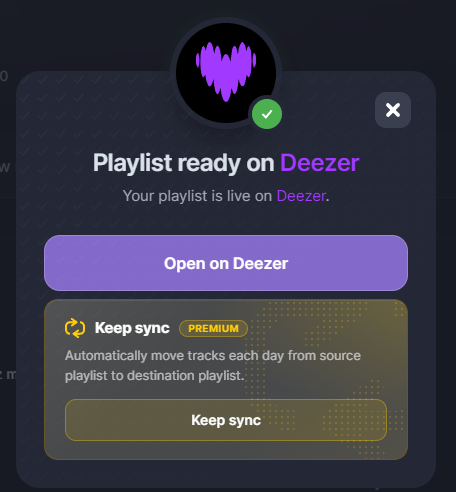
Once the transfer is complete, a confirmation window appears.
Now, repeat the process with the same playlist for each platform where you want the playlist to be available. We know it’s a bit tedious, but it is essential and takes only a few minutes.
Once your playlist exists on all your desired music streaming platforms, what’s next? How do you generate a single link that brings all those platforms together in one place?
That’s where our Smartlink tool comes in! As we explain in this article, a Smartlink lets you consolidate data in one place.
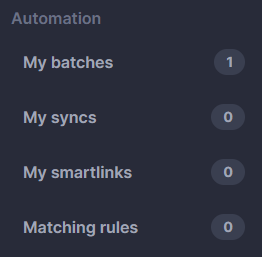
Note: For your playlist to be added to a Smartlink, it must be set to public visibility. Private playlists will not appear.
Once you are in the “My Smartlinks” section, click the “Create A Smartlink” button.
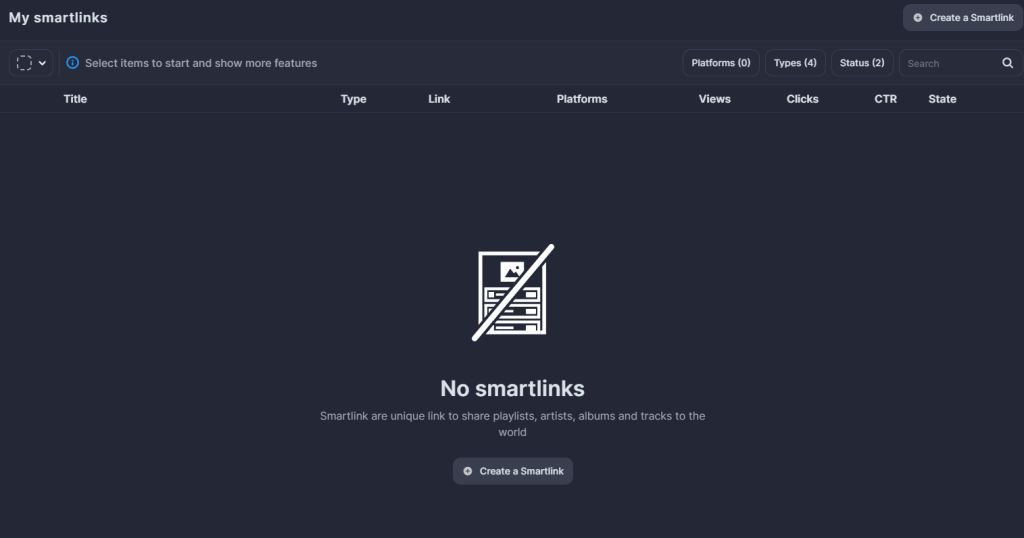
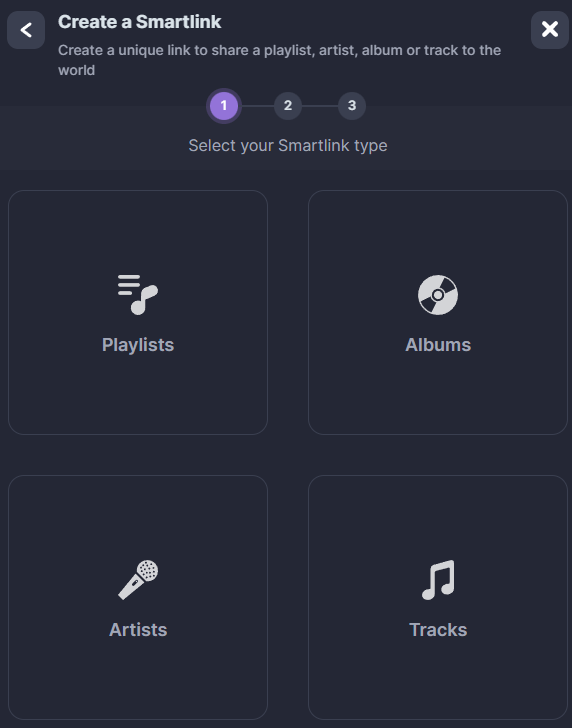
Next, select the “Playlists” section. You will see a list in the window showing all the playlists you’ve created across the streaming platforms you’ve connected.
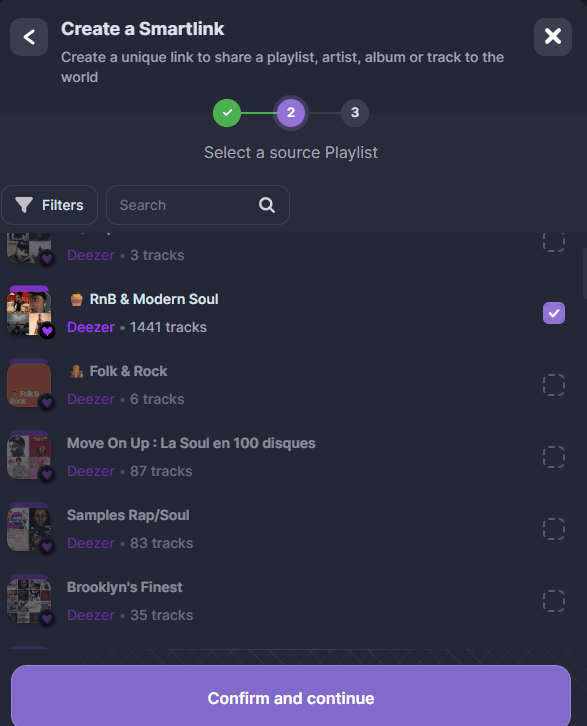
Select the playlists you want to combine into a single link, then click “Confirm and Continue.”
Soundiiz then lets you manage various elements to ensure your Smartlink is clear, readable, and visually appealing. You can configure the title and cover image, add a description, and more. Once you are happy with the settings, click “Save configuration” again.
Your Smartlink is created! Now, you need to add the playlists generated on the other platforms to this initial link so that everything is in one place.
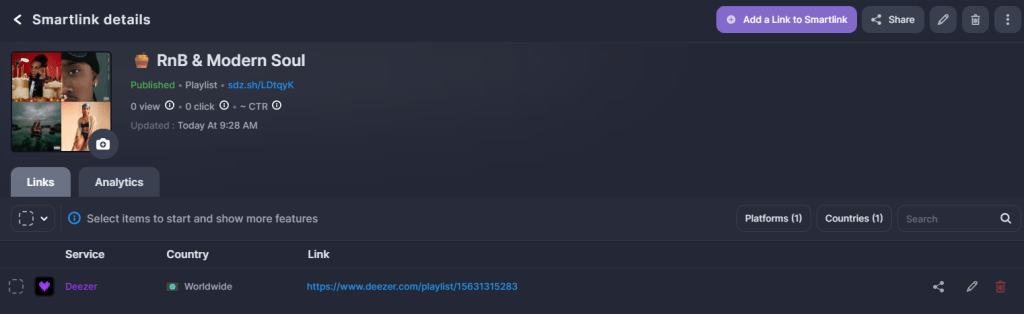
Click the purple “Add a Link to a Smartlink” button and repeat the process by selecting the playlists of your choice.
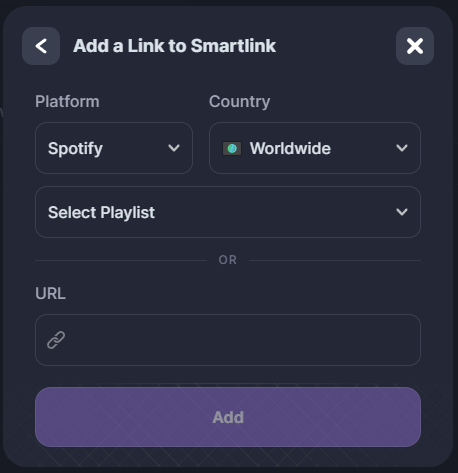
A handy feature: you can add links via the Soundiiz dashboard or simply by using a URL copied directly from a streaming platform.
You will see each streaming platform added one by one. This means your Smartlink now hosts everything you want in a single location!

Once everything has been added, your Smartlink is ready to be shared.
To do this, click the “Share” button in the top-right corner of your screen.
Several options are available, and you can share everything in seconds!
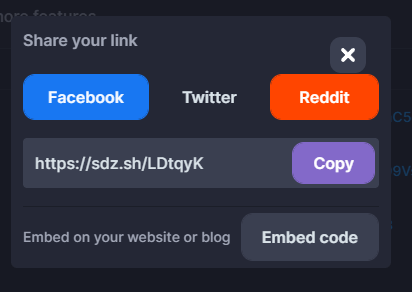
If you copy the link provided by Soundiiz, you can see what your Smartlink looks like.

If you aren’t happy with its appearance, no problem: everything is fully customizable on the dashboard.
It’s a done deal: you now know how to create a link that generates a playlist across all streaming platforms!
Why is Soundiiz the best tool for creating a link that generates a playlist across all streaming platforms?
There are several reasons. First, as you saw in the process described above, our tool is intuitive and easy to use. It is accessible to both tech professionals and the general public—something that has always been important to us.
Next, Soundiiz acts as a comprehensive dashboard for your data, allowing you to edit, transfer, and download your playlists. This ensures maximum flexibility in managing the playlists you want to showcase. No other platform offers such a complete tool, enabling you to do literally whatever you want with your data.
Furthermore, our matching tool is extremely precise. This means that when you transfer a playlist from Spotify to Deezer, Apple Music, YouTube Music, or elsewhere, you lose little to no data in the process. We update our features daily so you can create a perfect mirror of your data across all the platforms where you generate your playlists.
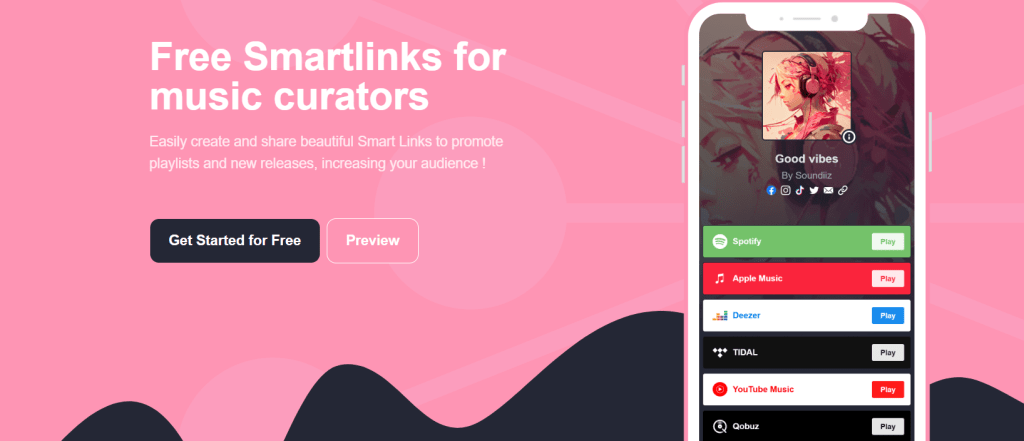
Our Smartlink feature is also intuitive and visually appealing, and it offers tracking capabilities. With one of our Premium options, we provide data that allows music professionals to see who has clicked on their Smartlink, along with other key metrics.
Finally, you can configure your Smartlink to keep your data constantly synchronized. This means that if you make changes to one of your playlists, Soundiiz automatically reflects those changes on every platform where the playlist was generated—without you having to lift a finger!
What else can you do with Soundiiz?
Transferring playlists between platforms is just the tip of the iceberg! Soundiiz can do so much more. And without blowing our own trumpet, the facts speak for themselves.
First, of course, there’s our world-renowned transfer tool, which lets you migrate all your data from one service to another in minutes—without losing a single liked track, album, followed artist, or playlist.
Then there’s the ability to manage that data directly from your Soundiiz homepage: deleting items, organizing them, or downloading everything for safekeeping. So you never lose them—or can import them to a new streaming platform later.
There’s also our SmartLink generator, which lets you create stylish, trackable landing pages for your playlists. Or the synchronization option, allowing you to enjoy playlists from platforms other than your daily go-to.
And let’s not forget our in-house AI service, which lets you generate playlists based on text, tags, and prompts. It’s all about discovering new artists and albums, then importing them to any platform—as often as you like.
Unlike some competitors who focus on just one or two features, Soundiiz is a “Swiss Army knife” designed to cover all your needs—and become the perfect companion for managing your streaming platforms.
To start using Soundiiz and enter a world where your music data is fully manageable, transferable, and editable, click here!